
Tyrbo asset generator · a CLI for Claude Code, Cursor and any agent with a shell
All your game assets in one place
Ask for the look once. Then every character, sprite sheet, prop, texture, rigged 3D model, interface and title screen your agent asks for is drawn in it, so the whole game looks made by one hand. Files land in your project, named and ready for your engine.
npm install -g @tyrbo/assetMake a key in the Tyrbo app, then run asset login. Add --mock to try any command free first.
One look, kept consistent through each project
Ask for the look once and everything after it is drawn in it. The knight, its room, its props, its loot icons and its interface below were each their own ask, and they play together as one game.
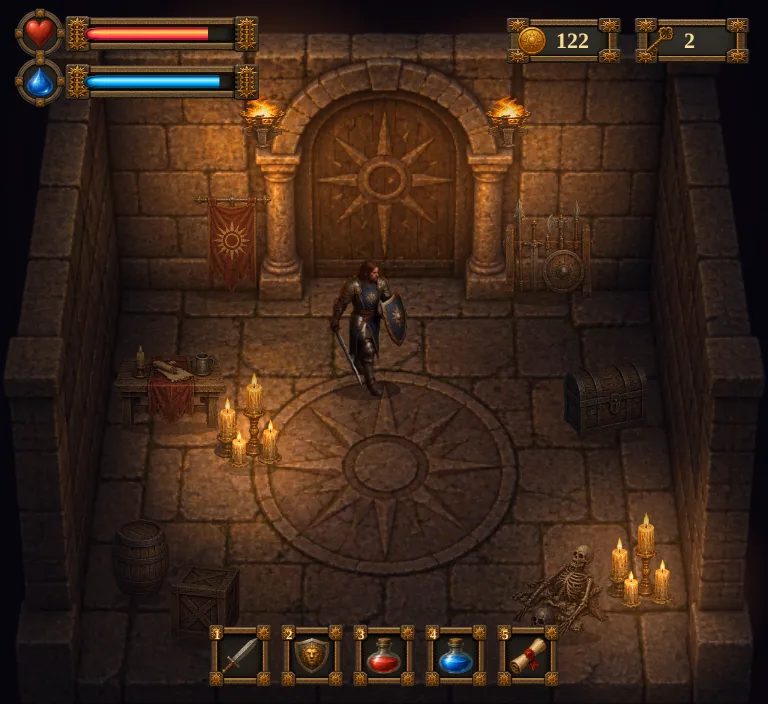
Every part of the scene, each its own command in the knight’s look
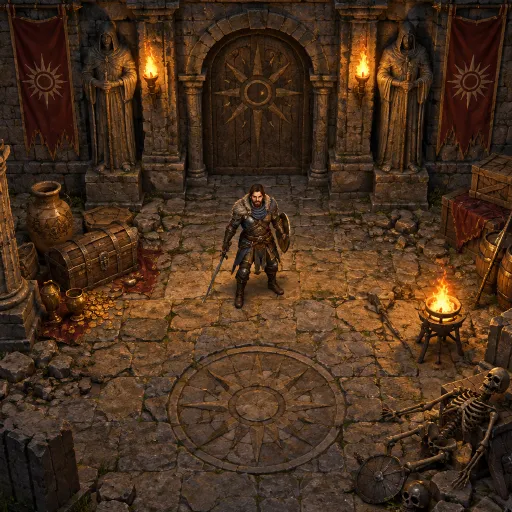
asset look keep "hand-painted fantasy dungeon, torchlit stone, rich warm colours" --view top-down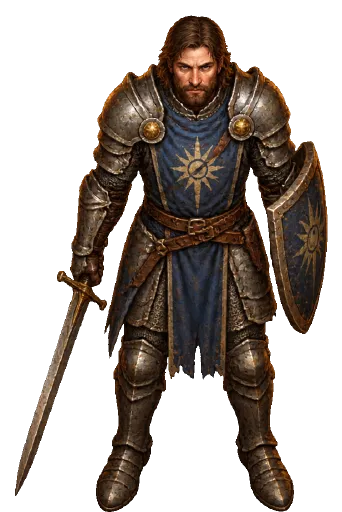
asset character knight "a knight in fitted silver plate armour with a blue tabard, no cape" --view top-down --clips idle,walk,attack,whirlwind-spin-attack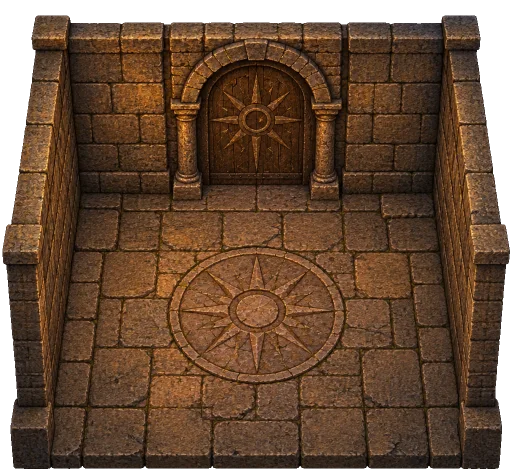
asset image room "a small square dungeon room seen from above at a slant, filling the whole picture: the back wall of big stone blocks with its face showing, short side walls, a worn flagstone floor, a doorway in the back wall, empty, no characters, no props, no torches"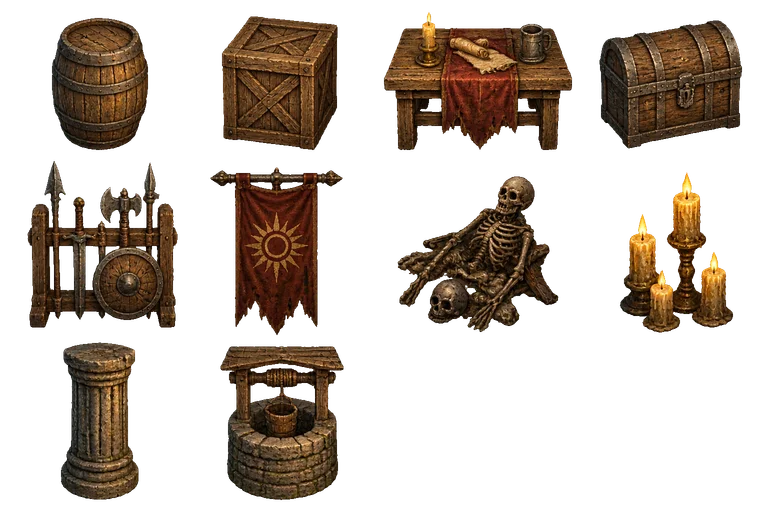
asset image props "a dungeon's furniture and clutter" --kind props --names barrel,crate,table,chest,weapon-rack,banner,bones,candles,pillar,well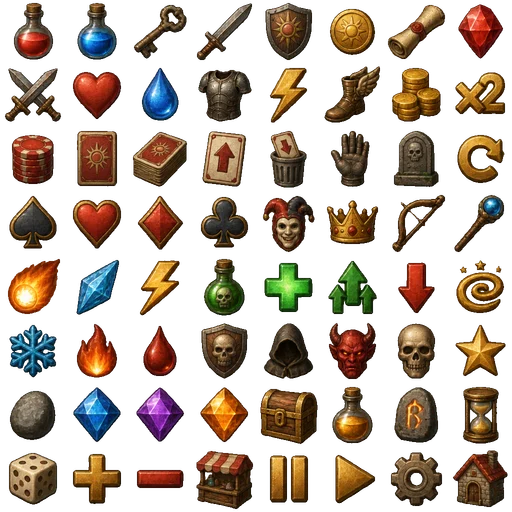
asset icons "a dungeon crawler's loot" --names health-potion,mana-potion,key,sword,shield,coin,scroll,gem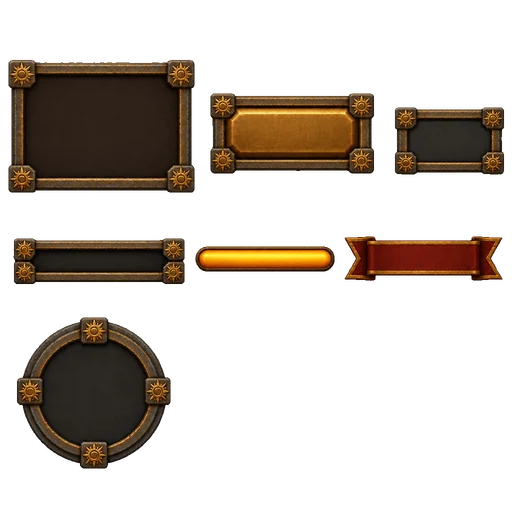
asset ui "a torchlit dungeon crawler's HUD in carved stone and dark iron with gold trim" --desktopThe interface, laid out by asset ui from the game’s rules: its HUD, its menu and its end screen

asset ui "a torchlit dungeon crawler's HUD in carved stone and dark iron with gold trim" --desktopEvery facing, every clip, filmed
One asset character gives a cartoon character its front, every other facing its view has, and each clip at each facing, filmed by video models: idles and walks by one that keeps them steady, attacks by one that throws in the smears and the whoosh (--no-smear for sharp ones). Every clip of a character stands at one height, whichever take it came from: here the knight, hand-painted and seen from above.
The KeepHand-painted, seen from above
Front
Back
Side
idle


walk


attack


Its own attacks, named in --clips beside the usual ones and filmed at every facing it has.
spin


asset look keep "hand-painted fantasy dungeon, torchlit stone, rich warm colours" --view top-down
asset character knight "a knight in fitted silver plate armour with a blue tabard, no cape" --view top-down --clips idle,walk,attack,whirlwind-spin-attack
asset character knight "a knight in fitted silver plate armour with a blue tabard, no cape" --view top-down --clips idle-up --takes 3
asset video-clip knight-idle-side "the knight seen from the side standing perfectly still, facing right the whole time, only a slow breath lifting the chest and the tabard stirring; feet, hips, shoulders and head locked, never turning toward or away from the camera, the camera locked off" --of out/knight-side.png --clip idle --view "top-down, seen from above" --facing "facing right" --energy calm
asset character knight "a knight in fitted silver plate armour with a blue tabard, no cape" --view top-down --clips attack,attack-up,attack-side,spin,spin-up,spin-side --model x-ai/grok-imagine-video-1.5-lite
asset video-clip knight-attack-up2 "the knight from behind, back always to the viewer: a heavy overhead sword slash forward, away from the camera, then back to stance; it never turns toward the camera" --of out/knight-up.png --clip attack --view "top-down, seen from above" --facing "facing away from the camera" --model x-ai/grok-imagine-video-1.5-lite
3D that is rigged, holds things, and moves, performant or high res
A design drawn in your look, sculpted into a textured .glb and bound to a skeleton with its clips. A weapon is made alone and put in the hand, its edge leading the swing. Each model comes at a phone-friendly count or at high res, and each here is its own .glb playing in three.js.
Paladin
Performant · 4,600 triangles


High res · 101,600 triangles


Dwarf
Performant · 4,600 triangles


High res · 101,600 triangles


Wolf demon boss
Performant · 10,000 triangles


High res · 100,000 triangles


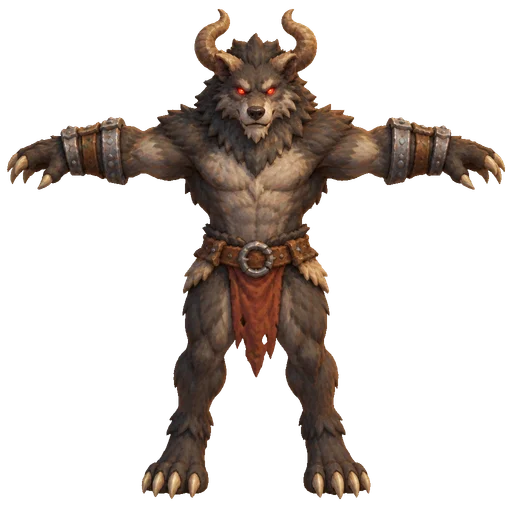
Auto-rig, one command: asset mesh --rig biped draws the design, sculpts it, has a cheap model mark its joints on the front view, binds the library’s skeleton to them and checks its walk plays without a tear. Here, the boss above, its own 25 bones in its see-through body.
- 1
Designed in your look
- 2
Sculpted, 10,000 triangles
48 frames · 15 fps - 3
Joints marked, skeleton bound
48 frames · 15 fps - 4
Every library clip plays on it
20 frames · 15 fps


The CitadelRigged 3D, played in three.js
asset look citadel "stylized fantasy, chunky hand-painted textures, warm sunlight, saturated colours" --view isometric
asset mesh paladin "a paladin in fitted gold and white plate armour, short hair, no cape" --rig biped
asset mesh dwarf "a stout dwarf warrior in fitted leather and iron armour, a short braided beard, no cape" --rig biped
asset mesh sword "a broad paladin's longsword" --held
asset mesh axe "a bearded dwarven battle axe" --held
asset attach paladin sword
asset attach dwarf axe
asset mesh paladin "a paladin in fitted gold and white plate armour, short hair, no cape" --rig biped --triangles 100000
asset mesh dwarf "a stout dwarf warrior in fitted leather and iron armour, a short braided beard, no cape" --rig biped --triangles 100000
asset attach paladin sword
asset attach dwarf axe
asset mesh wolfboss "a towering wolf demon boss standing on two legs: wolf head with curved horns and glowing red eyes, dark shaggy fur, iron bracers, a torn loincloth, long claws, no weapon, arms at its sides" --rig biped --size 4 --triangles 10000
asset animate wolfboss --clips sword-groundpound
asset mesh wolfboss-hd "a towering wolf demon boss standing on two legs: wolf head with curved horns and glowing red eyes, dark shaggy fur, iron bracers, a torn loincloth, long claws, no weapon, arms at its sides" --ref out/wolfboss.design.png --rig biped --size 4 --triangles 100000
asset animate wolfboss-hd --clips sword-groundpound
Any look, filmed the same way
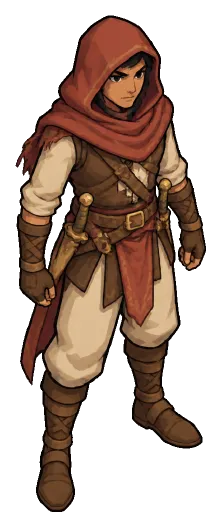
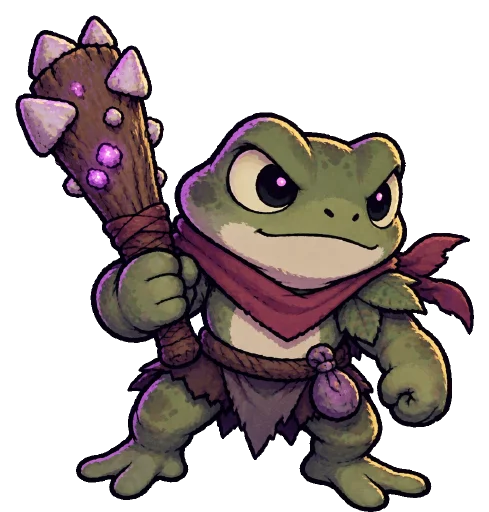
The same command in other looks: a cel-shaded rogue seen isometric, and a frog warrior turned three-quarters, as a brawler’s heroes stand, in a look remixed from a screenshot of a game.
The BazaarCel-shaded, isometric
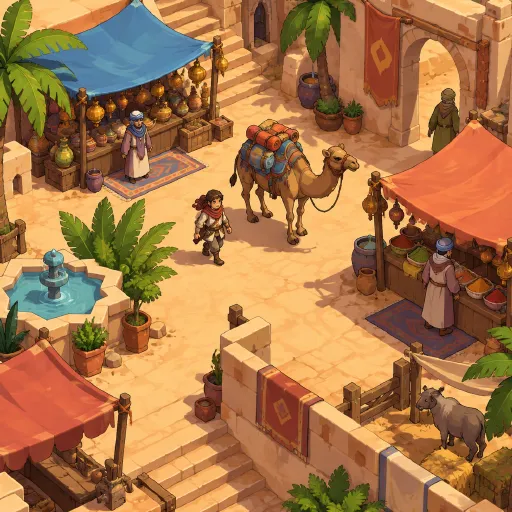
Front
Back
idle


walk


attack


Its own attacks, named in --clips beside the usual ones and filmed at every facing it has.
spin


asset look bazaar "cel-shaded desert bazaar, bold outlines, flat bright colours" --view isometric
asset character rogue "a nimble rogue in a fitted hooded tunic and leather boots, twin daggers sheathed" --view isometric --clips idle,walk --facings down --takes 3
asset video-clip rogue-idle4 "the hooded rogue standing perfectly still in place, only a slow breath lifting the shoulders and the scarf ends stirring; feet, hips, shoulders and head locked facing the camera, no turning or twisting at all, the camera locked off" --of out/rogue.png --view "isometric, seen from above" --facing "facing the camera" --clip idle --energy calm
asset video-clip rogue-idle-up3 "the hooded rogue from behind at rest, back square to the camera the whole time, a gentle breath, the hood and cloak swaying slightly, no turning at all" --of out/rogue-up.png --clip idle --move idle --view "isometric, seen from above" --facing "facing away from the camera" --energy calm
asset video-clip rogue-walk3 "the hooded rogue walking on the spot toward the viewer, a light confident stride, head steady and facing forward, no turning, the camera still" --of out/rogue.png --view "isometric, seen from above" --facing "facing the camera" --clip walk --energy calm
asset character rogue "a nimble rogue in a fitted hooded tunic and leather boots, twin daggers sheathed" --view isometric --clips attack,attack-up,spin,spin-up --model x-ai/grok-imagine-video-1.5-lite
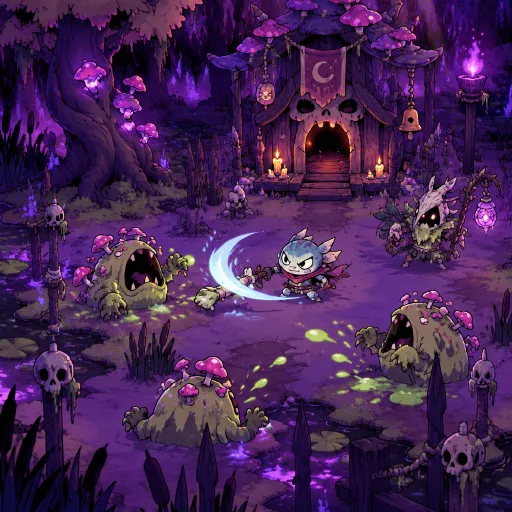
The BogRemixed from a game’s screenshot, turned three-quarters like a brawler’s hero
idle

walk

roll

attack

spin

cast

Its own attacks, named in --clips beside the usual ones and filmed at every facing it has.
asset look bog "a cartoon brawler's haunted swamp at night: glowing purple fungus, bold ink outlines, punchy fire effects" --view top-down --ref refs/brawler.png
asset image warden "this same frog warrior redrawn turned three-quarters to face right, the way the heroes of a slanted top-down brawler are drawn: a little older and sturdier, a determined brow over smaller eyes, a leaf pauldron on one shoulder, less round and less babyish, keeping its bandana, rope belt and spiked club; alone on a clear background" --ref out/toad.png
asset video-clip warden-idle "the frog warrior standing at rest, breathing, club resting on its shoulder, feet planted, no turning" --of out/warden.png --clip idle --view "three-quarter view from above, as a top-down brawler" --facing "facing right" --energy calm
asset video-clip warden-walk "the frog warrior walking in place, a stocky waddle, club over its shoulder, a seamless loop, no turning" --of out/warden.png --clip walk --view "three-quarter view from above, as a top-down brawler" --facing "facing right"
asset video-clip warden-roll "the frog warrior doing a forward dodge roll to the right: it tucks and tumbles head over heels along the ground in the direction it faces, a somersault rolling forward across the floor, then pops back up into its stance, club in hand" --of out/warden.png --clip roll --view "three-quarter view from above, as a top-down brawler" --facing "facing right" --model x-ai/grok-imagine-video-1.5-lite
asset video-clip warden-attack "the frog warrior" --of out/warden.png --clip attack --view "three-quarter view from above, as a top-down brawler" --facing "facing right" --model x-ai/grok-imagine-video-1.5-lite
asset video-clip warden-spin "the frog warrior" --of out/warden.png --clip spin --view "three-quarter view from above, as a top-down brawler" --facing "facing right" --model x-ai/grok-imagine-video-1.5-lite
asset video-clip warden-cast "the frog warrior casting a swamp spell: green magic swirling from its raised hand" --of out/warden.png --clip cast --view "three-quarter view from above, as a top-down brawler" --facing "facing right" --model x-ai/grok-imagine-video-1.5-lite
Pixel art, drawn as a sprite sheet
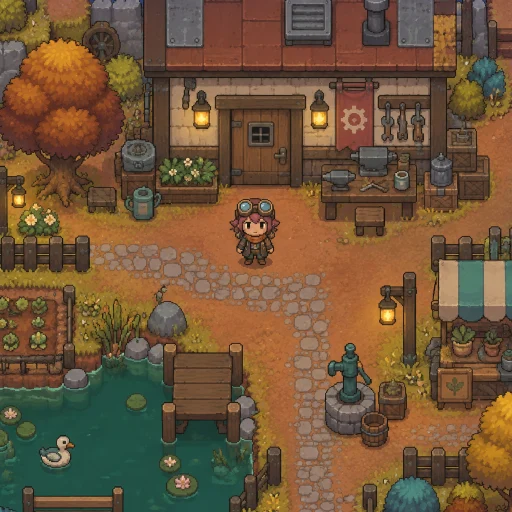
Pixel art keeps its pixels when it is drawn rather than filmed: four poses a clip on one sheet, every facing, each swing smeared. A tinker goblin in a look remixed from a cosy town’s screenshot, its walk asked again for a clearer stride.
The WorkshopPixel art from above, remixed from a game’s screenshot, drawn as a sprite sheet
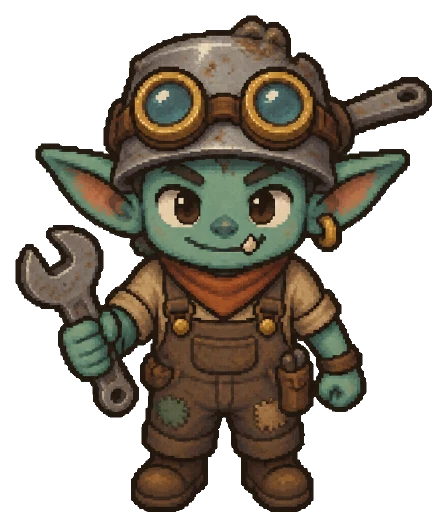
Front
Back
Side
idle


walk


attack


asset look workshop "chunky pixel art with bold dark outlines, a cosy cluttered tinkers' town seen from above at a slant, warm earthy reds, browns and teal" --view top-down --ref refs/town.png
asset character tinker "a small teal goblin tinker with big pointed ears and a cheeky grin, a dented saucepan worn as a helmet, brass goggles pushed up on it, patched brown overalls, a big wrench in one hand" --via sheet --view top-down --clips idle,walk,attack
asset sheet stride --of out/tinker.png --clips walk,walk-up --view top-down "a big clear stride in every frame: one knee lifted high with its foot off the ground, then the other, the arms swinging opposite, the body bobbing up and down"
Music, sounds and voices
The same CLI writes the game’s audio: a 30-second song from a mood and its instruments, a sound effect from what makes it, looping when asked, a character’s line in a voice, and the classic game blips free. Each file below is the one its command wrote.
Music · a 30-second song, about four cents
asset music dungeon "a dark fantasy dungeon crawl: low brooding strings, a slow war drum, a distant choir, 80 bpm, tense and adventurous"asset music bog "a playful swampy adventure theme: plucked banjo and marimba, bubbling synth bass, a bouncy 110 bpm groove, cartoon mischief"Sound effects · under a cent to two cents each
asset sfx sword-swing "a heavy sword swung fast through the air, a sharp whoosh" --seconds 1asset sfx ground-smash "a huge monster landing a jump smash on stone: a deep boom, cracking rock and rubble" --seconds 2asset sfx torch "a wall torch burning in a stone dungeon, soft crackle and flutter of flame" --seconds 6 --loopasset sfx frog-roll "a small cartoon frog tumbling across a wooden floor, a quick roll and a springy boing" --seconds 1asset sfx spell "a green swamp spell cast: a bubbly magical swirl rising to a sparkle" --seconds 2Voice · a line spoken, under a cent
asset voice boss-line "You dare enter my den? Then you will never leave."Synth · free, made on your own machine
asset synth coin pickupasset synth hit hitOutside and in, in 2D and 3D
Ask for the inside with the outside’s own picture and the two belong to one building: the teahouse drawn both ways, then a smithy sculpted in 3D and opened up on one side, at a phone-friendly count and at high res.
Drawn: the inside asked with the outside’s own picture
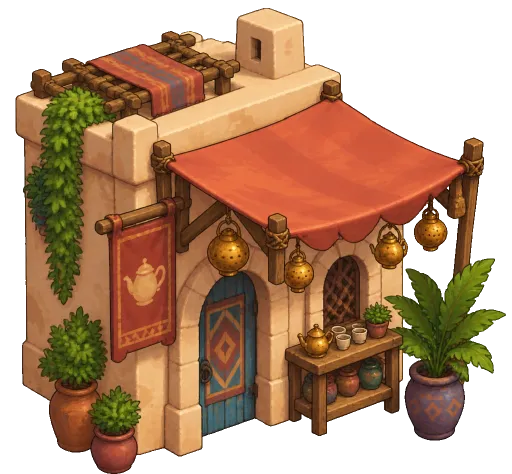
asset image teahouse-out "a backdrop: the outside of a small teahouse in the bazaar, its painted door and awning, no people"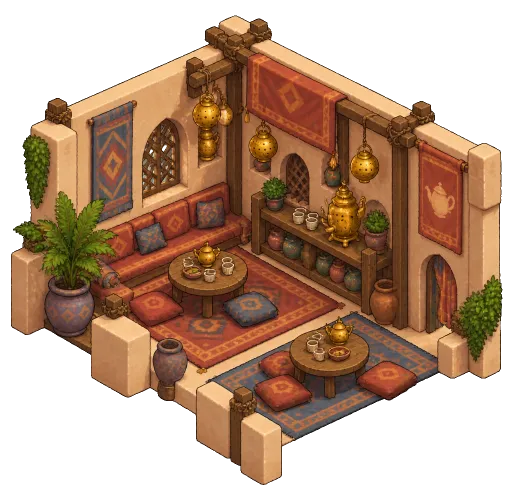
asset image teahouse-in "a backdrop: the inside of this same teahouse, its rugs, lanterns, brass samovar and low tables, empty, no people" --ref out/teahouse-out.png3D performant: 8,000 triangles each

asset mesh forge-out "the blacksmith's workshop" --ref out/forge-out.png --size 4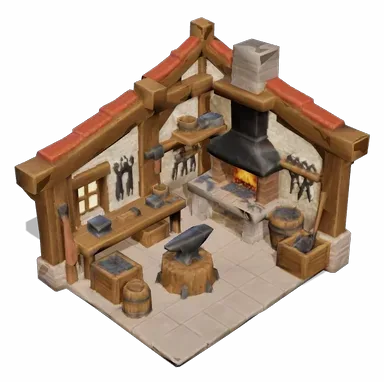
asset mesh forge-in "the workshop's interior, cut away on one side" --ref out/forge-in.png --size 43D high res: 100,000 triangles each

asset mesh forge-out "the blacksmith's workshop" --ref out/forge-out.png --size 4 --triangles 100000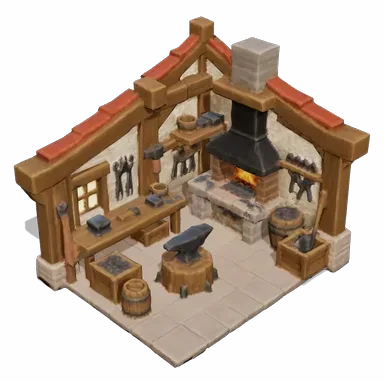
asset mesh forge-in "the workshop's interior, cut away on one side" --ref out/forge-in.png --size 4 --triangles 100000One look, then the whole game follows it
Two real runs. Each began with asset look, and everything after it was asked in that scene’s style, palette, light and camera, with no style words repeated.
Grove
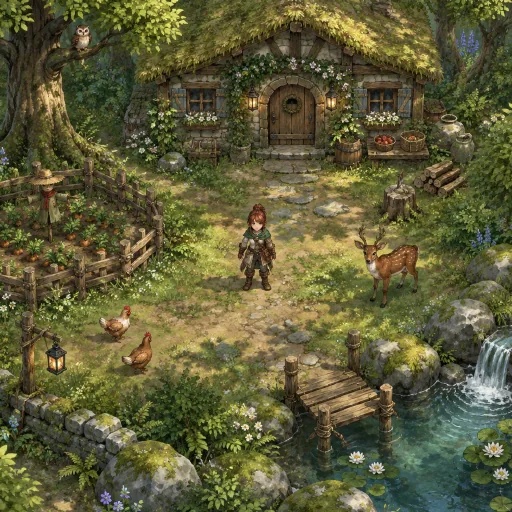
asset look grove "hand-painted fantasy forest, soft dappled light, top-down" --view top-downThe CLI installed from npm into a clean folder, logged in with an account’s asset key.
Then, in that look:
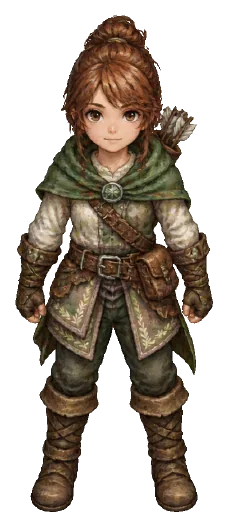
asset character ranger "a young ranger in a green hood" --clips idle,walk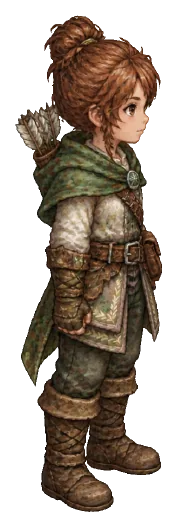
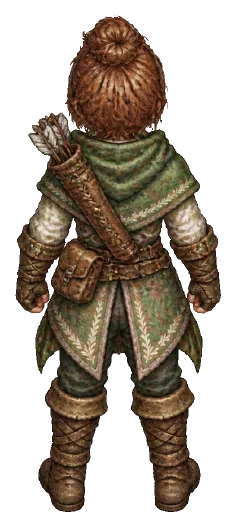
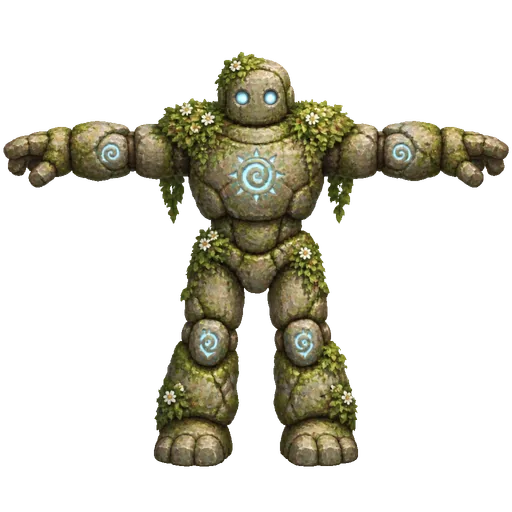
asset mesh golem "…" --rig biped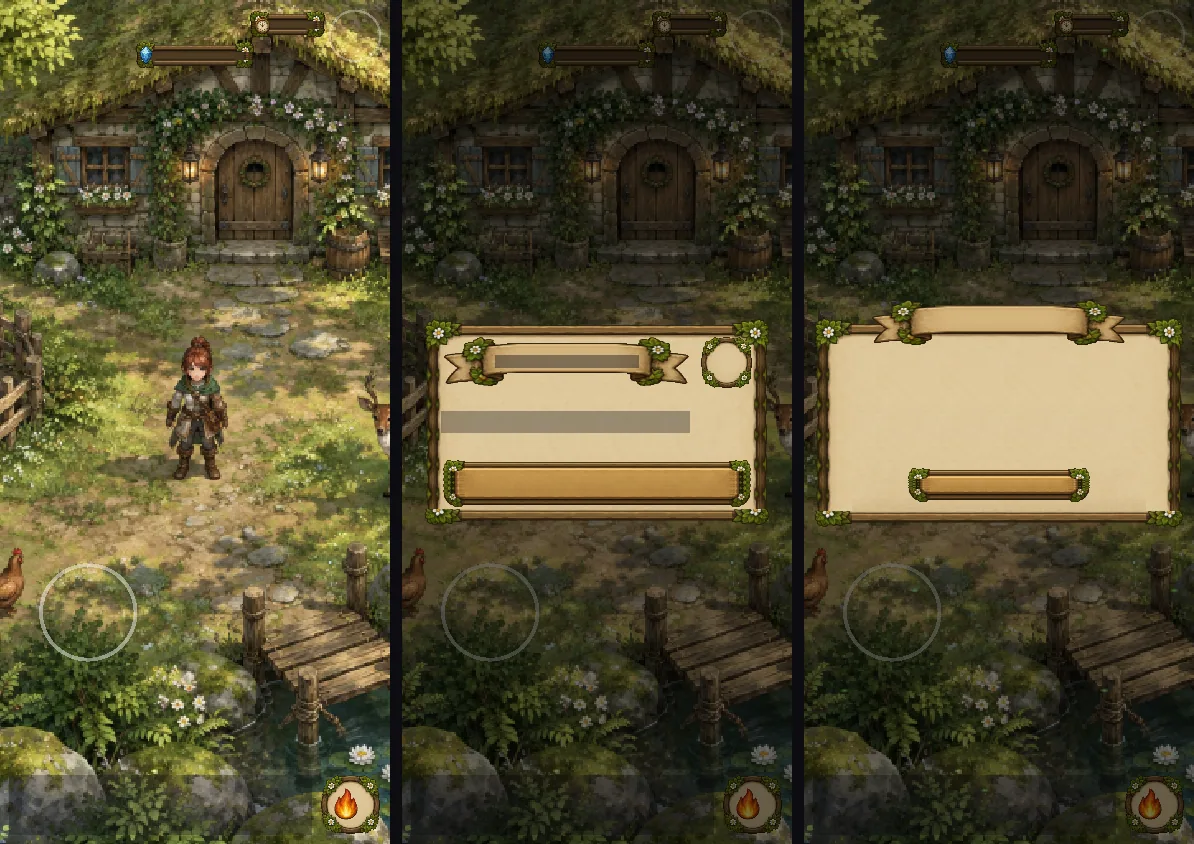
asset ui "carved wood and leaves"Meadowfall
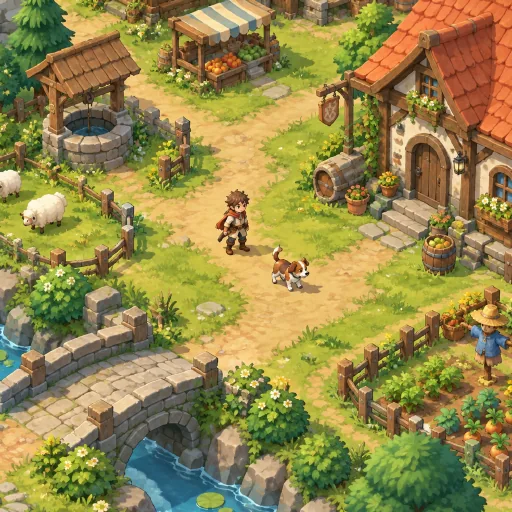
asset look meadow "bright cel-shaded fantasy…" --view isometricThe asset CLI through the asset service, the way a Tyrbo turn calls it.
Then, in that look:
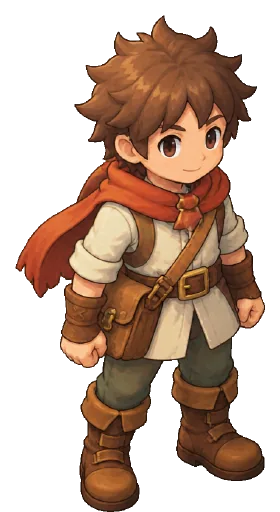
asset character hero "a young adventurer…" --view isometric --clips idle,walk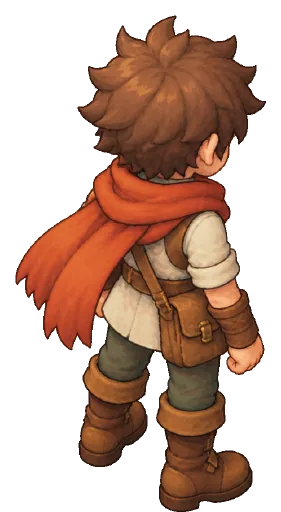

asset image chest "…"
asset image props "…" --names coin,heart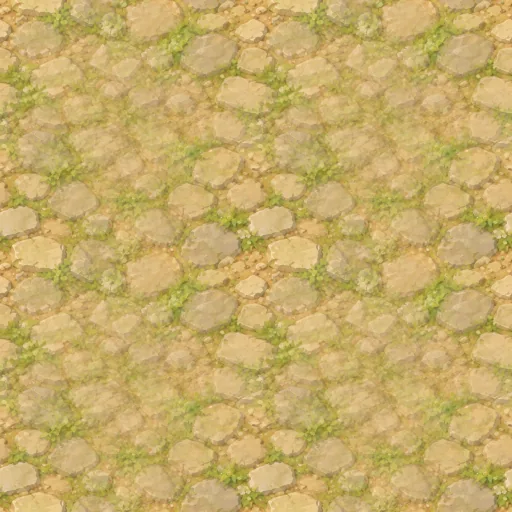
asset texture path "…"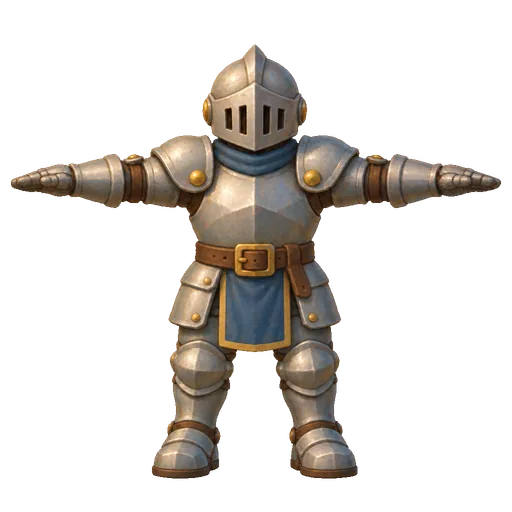
asset mesh knight "…" --rig bipedAny style you can put into words
The look is words and a camera, so the style is yours. A pixel-art cave and a papercraft harbor, each with a character asked in it and no style words of its own. The pixel look chose drawn poses for its clips by itself, to keep its pixels crisp.
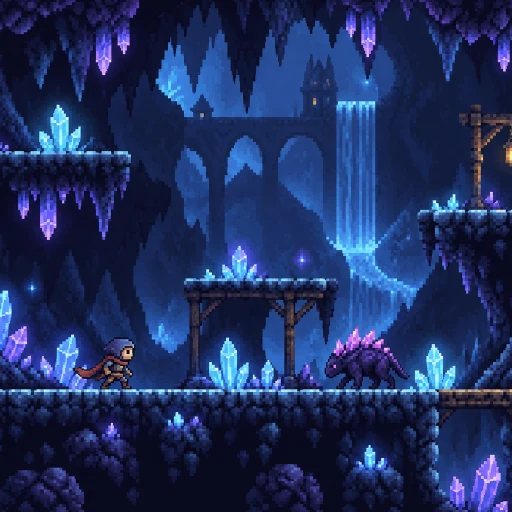
asset look caverns "chunky 16-bit pixel art platformer, crisp pixels, limited palette, glowing crystal caves" --view side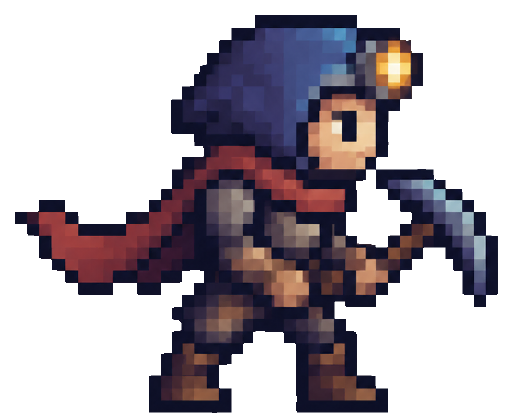
asset character miner "a small miner with a headlamp and a pickaxe" --view side --clips idle,walk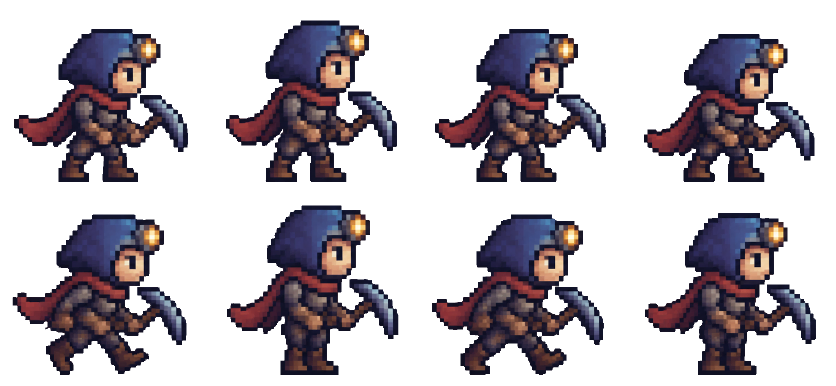
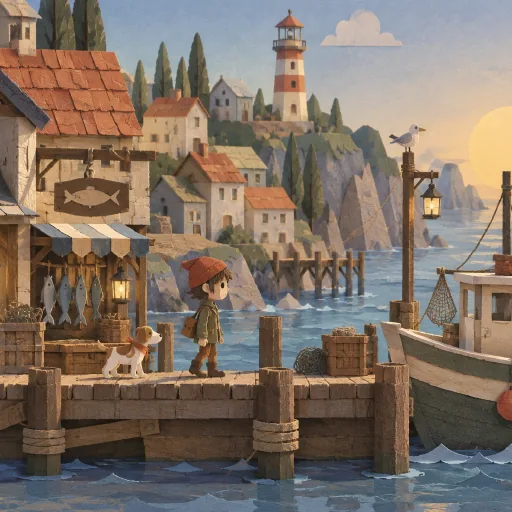
asset look harbor "papercraft diorama, layered cut paper, soft warm light, a little fishing harbor" --view side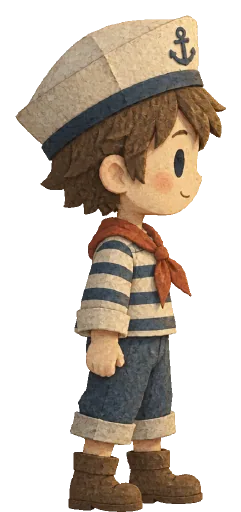
asset character sailor "a cheerful paper sailor with a striped shirt" --view side --clips idle,walk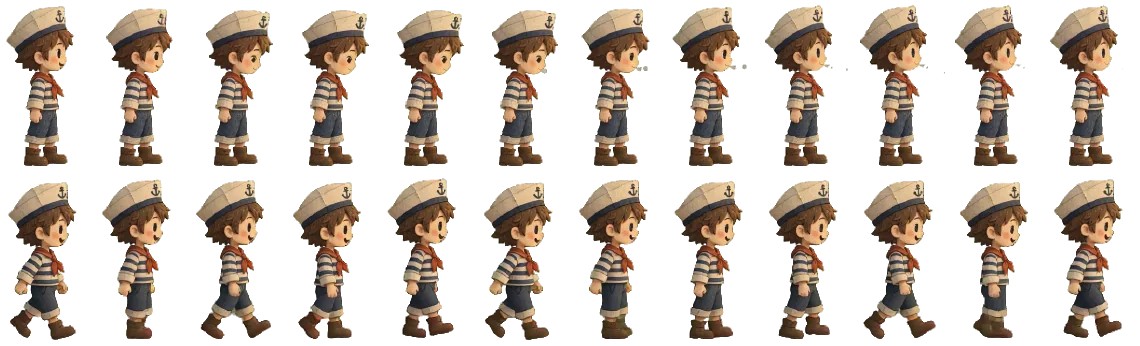
The interface and the title screen, in the same look
asset ui draws a skin from your look and lays out every screen your game is made for. asset startscreen comes last: a lettered logo over key art of your own game.
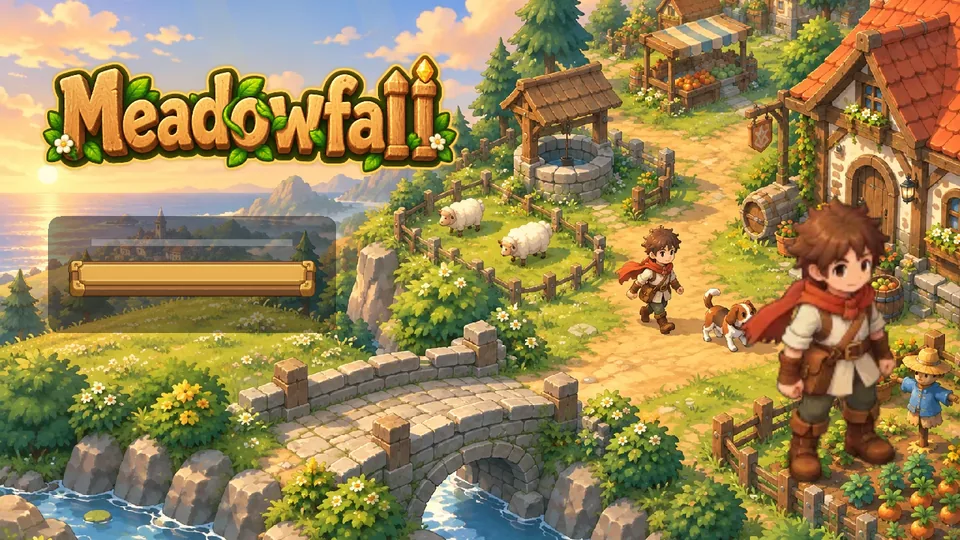
asset startscreen "the meadow village at dawn" --title "Meadowfall"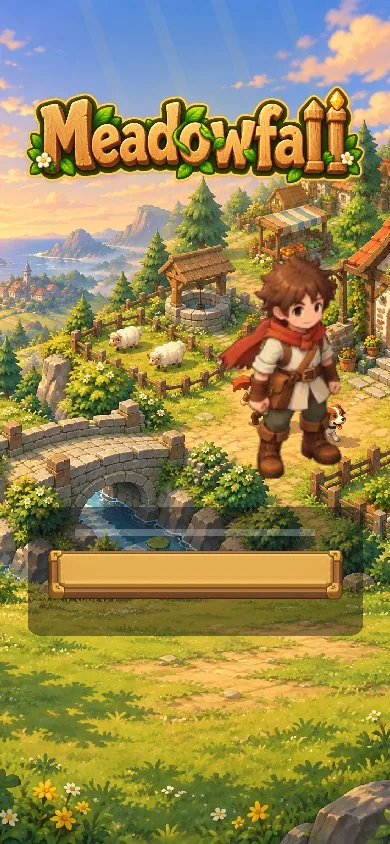
asset ui "carved wood and leaves"
asset ui "warm carved wood and brass" --icons coin,heartHow it works
- 1
Install and log in
One npm install, then asset login with a key from the Tyrbo app. Or add --mock to try any command free.
- 2
Ask for the look
Describe the art style, palette, light and setting, and the camera. One scene of your game comes back and is kept.
- 3
Ask for everything else
Characters, props, textures, models, the interface and the title screen, each one a command, each one in the look.
Files your engine opens
Everything lands in ./public/assets/ under names your agent can guess, and each call prints one line of JSON naming what it wrote.
- Pictures as transparent PNGs, trimmed to stand on their bottom edge.
- Sprite sheets as one PNG with a JSON atlas and a clip record, each frame’s anchor and body height in it, so a game sizes every character by its body.
- 3D models as one
.glbeach, skeleton and clips inside, held items with their grip at the origin. - The interface as a package of cut pieces and 64 icons in your material, with
ui.jsonlaying out each screen. - Sounds as
.mp3, and retro effects as.wavmade by code for free. - Godot, Unity and Unreal open these as they are, and
asset convert --to godotor--to unitywrites the engine’s own files for you, free.
Straight into your engine
Plain files every engine reads, and an engine’s own files where the CLI writes them.
three.jsWorks today
Every 3D model on this page is three.js playing the run’s own .glb, its skeleton and clips inside. A sheet is a texture with its atlas.
const loader = new GLTFLoader().setMeshoptDecoder(MeshoptDecoder);
const gltf = await loader.loadAsync('/assets/dwarf.glb');
const mixer = new THREE.AnimationMixer(gltf.scene);
mixer.clipAction(THREE.AnimationClip.findByName(gltf.animations, 'sword-attack')).play();GodotWorks today
asset convert writes Godot’s own files: SpriteFrames and a scene for a sheet, a plain .glb with import settings that loop its clips for a model.
asset convert dwarf --to godot --into ../my-game/artUnityWorks today
asset convert writes Unity’s own files: a sheet sliced into sprites with an .anim a clip, and a model for glTFast with each clip its own .anim and a humanoid bone map for its avatar.
asset convert knight --to unity --into ../MyGame/Assets/ArtUnreal EngineComing soon
Coming soon: Unreal’s own files from the same command, Paper2D flipbooks from a sheet and a model ready to retarget.
Pay per call, in credits
Each call is quoted before it runs, taken from your Tyrbo credits as it costs, and answered from your cache for free when you ask it again. Commands that call no model are free.
| What | Verb | Credits |
|---|---|---|
| The look, or a still in it | look | as low as 3 |
| A tiling texture | texture | as low as 6 |
| A drawn sprite sheet | sheet | as low as 8 |
| One animated clip, filmed by a video model | character | as low as 6 |
| A rigged 3D character, designed in your look | mesh | as low as 15 |
| A 3D item to hold | mesh | as low as 11 |
| A sound effect, one second | sfx | as low as 2 |
| A 30 second music track | music | as low as 14 |
In credits, a cent each: as low as a real call took in the runs on the asset generator’s page; a call is quoted first and never charged past its quote. Free: synth, spend, clips, animate, attach, puppet, faces, reference, render2d, convert, and any command with --mock.
Credits are a cent each. Top up on the pricing page.
Made for agents
Paste these lines into AGENTS.md, CLAUDE.md or your editor’s rules, and your agent knows the CLI is there, the order to ask in, and where to read more.
## Game assets

This project's art, models, interface and sounds are made with Tyrbo's asset CLI.
- Install once: `npm install -g @tyrbo/asset`, then `asset login` with a key from https://app.tyrbo.ai/#/settings/assets.
- Run `asset --help` for every verb and its flags.
- Start with the look: `asset look <name> "<style, palette, light, setting>" --view <side|top-down|isometric>`. Every later picture, sheet, texture and model is made in it.
- Then ask for what the game needs: `asset character`, `asset image`, `asset texture`, `asset mesh`, `asset ui`, and `asset startscreen` last.
- Files land in `./public/assets/` (`TYRBO_ASSET_OUT` moves them). Each call prints one JSON line naming its files.
- `--mock` tries any command free. `asset spend` says what is spent.
- Full docs: https://tyrbo.ai/asset-generator/docs.md
The docs as plain Markdown: /asset-generator/docs.md. The site's index for AI: /llms.txt.
Why one look beats a good prompt
Ask any image model for a knight, then a chest, then a forest floor, and you get three pictures that were each drawn well and were never drawn together. The outlines differ, the light comes from three directions, and one of them is a little more painterly than the others. A game built from them looks assembled.
The asset CLI keeps one picture as the game's look and sends it with every later ask, beside its words and its camera. A sheet's frames are drawn from the character's own picture. A 3D model is sculpted from a design drawn in the look. The interface skin and the title screen read the look too. The result is the thing players notice first and can rarely name: everything on screen belongs to the same game.
Built to be driven by an agent
The CLI was made for an agent that builds games, Tyrbo's own, and it behaves the way an agent needs. A call either prints one JSON line naming its files or says why not and exits 1. Names are predictable, so the code that loads a file can be written before the file exists. Every paid call is quoted first and refused if your credits cannot cover it, so a loop can never spend more than your credits hold. And --mock runs the whole flow offline, so an agent can wire a game before anything is spent.
What it does not do
It makes assets, not games: your agent and your engine do the rest. Plain 3D shapes built from code are not offered here, since your own agent can write those itself; asset shape --rig own still builds a creature on a skeleton of its own. The 3D models are game models at a phone-friendly polygon budget, not film assets. Music, sound effects and voices are made by their own models, and asset synth makes retro effects in code.
Questions people ask
Which agents does it work with?
Any agent that can run a command in a terminal: Claude Code, Cursor, Codex, Aider, Windsurf, or one you wrote. It is a plain CLI, so you can run it by hand too.
What do I need to start?
Node 20.11 or later, a Tyrbo account with credits on it, and a key made in the app under Settings, Asset gen. Calls are paid from those credits. Anything with --mock is free and needs no key.
How much does a whole game’s set cost?
The forest run on this page, a look, a character in three facings with walk and idle clips, a rigged golem with an axe, a texture and an interface, took 20 calls. Every call is quoted before it runs, and the price table below gives the most each kind is quoted at.
What if my credits run out mid-game?
Nothing runs past them. Each call is quoted before it runs and refused, before anything is spent, when your credits cannot cover it; asset spend says where you stand. Top up from the app and carry on where you stopped.
Does it make pixel art?
It makes whatever your look describes, pixel art included. For a pixel look, a character’s clips are drawn as poses rather than filmed, so the pixels stay crisp.
Which engines does it support?
It writes standard files: PNG, a JSON atlas and clip record, .glb, .mp3 and .wav. Godot, Unity and Unreal Engine all open them. asset convert --to godot or --to unity writes that engine’s own files, free; Unreal’s are coming soon.
What are you making?
Install it, then ask for the look.
Get an asset keyMake a key in the Tyrbo app, then run asset login. Add --mock to try any command free first.