
From a sentence to a rigged, animated 3D character
Rigging is the slow part of a 3D character: placing joints, painting weights, fixing the elbow that folds the wrong way. With the asset CLI you type what the character is, and one command draws its design, sculpts it, rigs it, tests the rig and writes its first clips. What comes back is a single .glb that already walks, idles and jumps.
npm install -g @tyrbo/assetMake a key in the Tyrbo app, then run asset login. Add --mock to try any command free first.
The commands
asset look grove "hand-painted fantasy forest, soft dappled light" --view top-down
asset mesh golem "a stone golem with moss growing on its shoulders" --rig biped
asset clips biped
asset animate golem --clips idle,run,jump
asset rig scout models/scout.glb --as biped
Made by the CLI, not drawn for this page
Real files the asset CLI wrote, each under the command that made it.
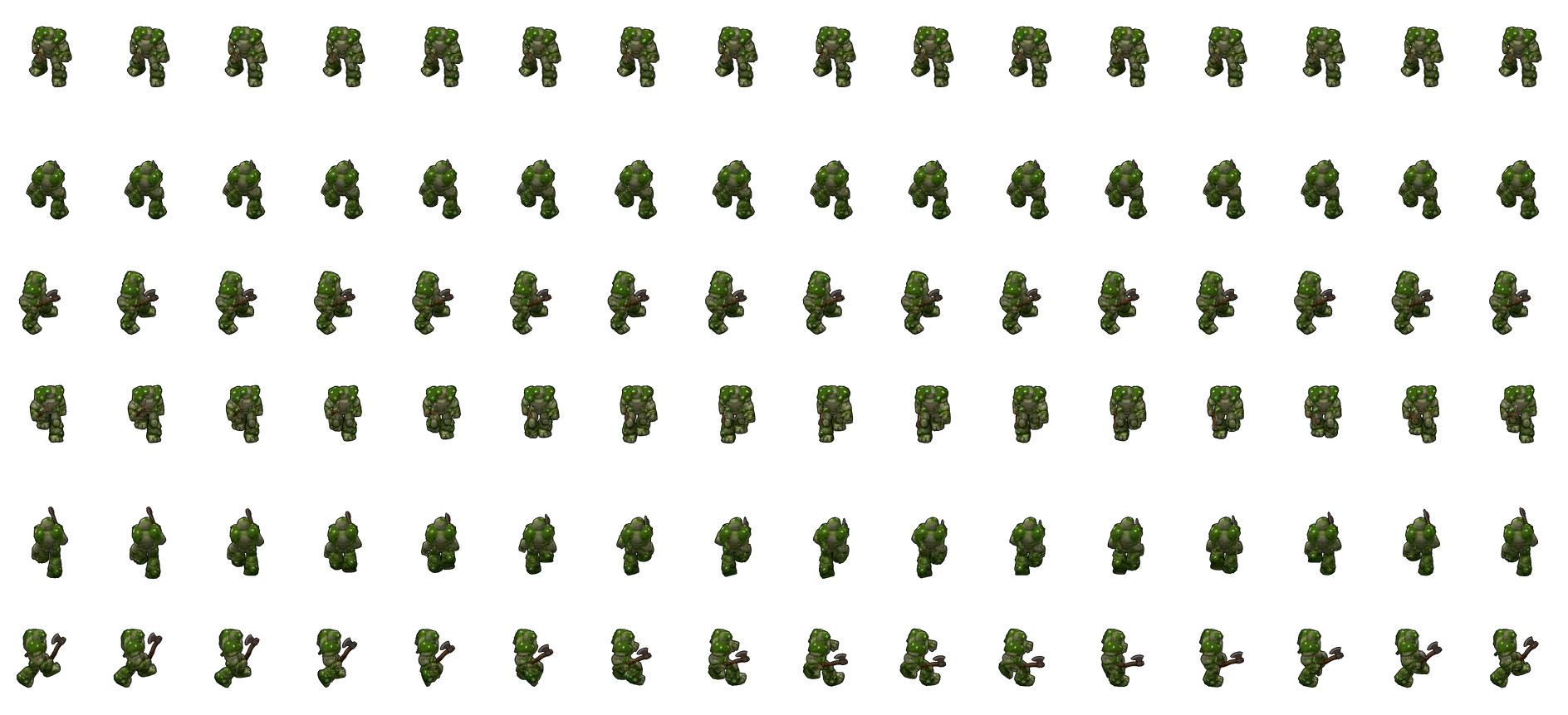
asset render2d golem --view top-down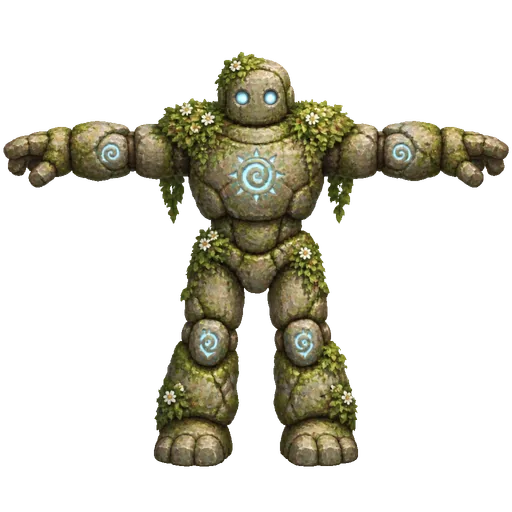
asset mesh golem "…" --rig biped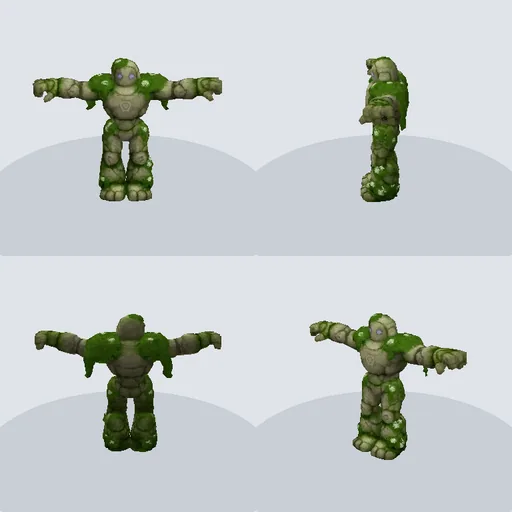
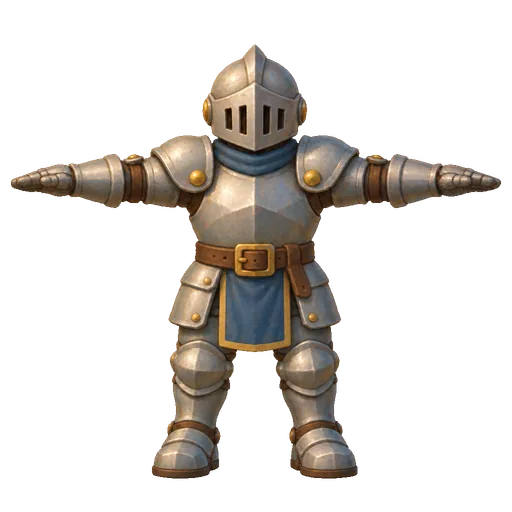
asset mesh knight "…" --rig bipedWhat happens between your words and the file
- The design. Your words are drawn into a picture in your game's look, square on, in a T-pose, hands empty.
- The sculpt. That picture becomes a textured mesh, rebuilt at a character's polygon budget.
- The joints. A cheap vision model marks fourteen joints on a front view. Code checks each one, and asks again for any that sit off the body or on the wrong side.
- The bind. The skeleton is laid from the marks, weights follow the surface, and limbs the sculpt joined, like trouser legs, are cut apart.
- The test. The walk, the run and the jump are played. A tear refuses the bind and the golem is sculpted once more.
Its first clips, and the rest
A model that passes comes with the rig's baseline clips, so it can stand, walk and jump the moment it is in your game. For more, asset clips biped shows the whole library by name, move, loop, length and tags, and asset animate golem --clips ... writes the ones you choose into golem.glb, free. An action word such as punch or cast fetches the clip that does it.
Rig a model you already have
Bought or modelled a character elsewhere? asset rig binds it to the same skeletons. A model that is already skinned is rebound for free, with Mixamo's bone names among those it reads mapped. An unrigged one goes through the same marks and the same test as a new character. If a joint cannot be settled, the call names it, and --bones lets you say which bone it is. --no-marks leaves the joints to code alone, with no model call.
Watch it move
The turntable shows the bound model from four sides. To watch it walk, the free asset render2d plays its clips and draws them from your game's camera; the golem walking on this page is that, rendered top-down for the forest. Read more on turning a 3D model into a sprite sheet.
Questions people ask
What should I write to describe the character?
What it is and what it wears: "a stone golem with moss on its shoulders" is enough. The look adds the style and light, so leave those out. Leave out what it holds too; that is made on its own.
What if the rig fails?
The character is sculpted once more from the same design, and the better result is kept. If both fail, the call says why and what to change, such as asking for limbs held apart.
Do the extra clips cost anything?
asset clips, asset animate and rebinding a model that is already skinned are all free. The design and the sculpt are the paid parts, quoted before they run.
Install it, then ask for the look.
Get an asset keyMake a key in the Tyrbo app, then run asset login. Add --mock to try any command free first.