
An AI sprite sheet generator that keeps your game’s look
A sprite sheet is the part of a game the player watches most, and it has to agree with everything around it. The asset CLI makes one from a sentence, the way you or your coding agent would run any other command: it draws the character in your game’s look, animates it by whichever route suits the art, and writes the sheet with the files an engine needs to play it.
npm install -g @tyrbo/assetMake a key in the Tyrbo app, then run asset login. Add --mock to try any command free first.
The commands
asset login
asset look harbour "watercolour seaside town, overcast light" --view side
asset character sailor "a cheerful sailor in a striped shirt" --clips all
asset sheet sailor-tricks --of sailor.png --clips climb,throw,cast
asset character gull "a greedy seagull" --body flier --mock
Made by the CLI, not drawn for this page
Real files the asset CLI wrote, each under the command that made it.
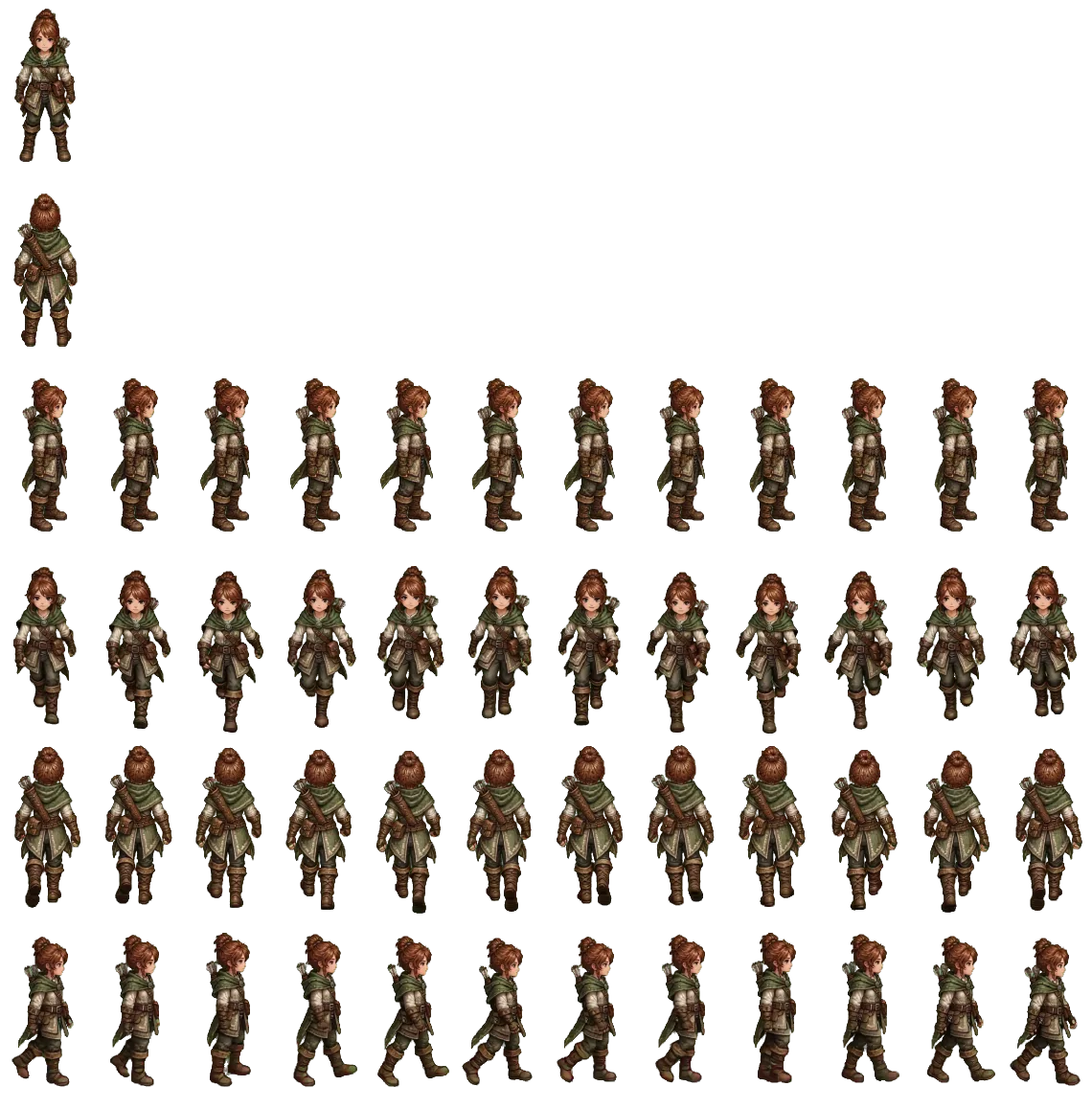
asset character ranger "a young ranger in a green hood" --clips idle,walk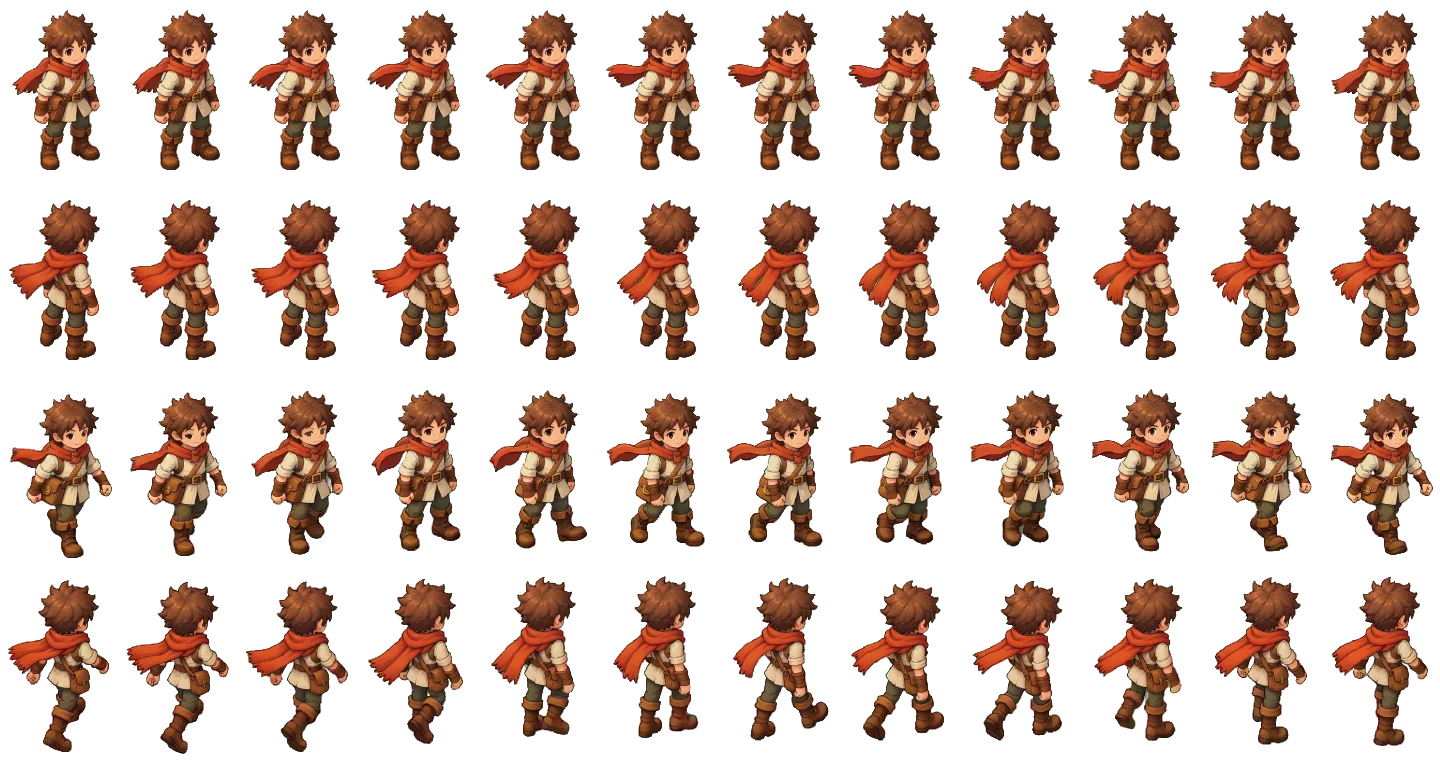
asset character hero "a young adventurer…" --view isometric --clips idle,walk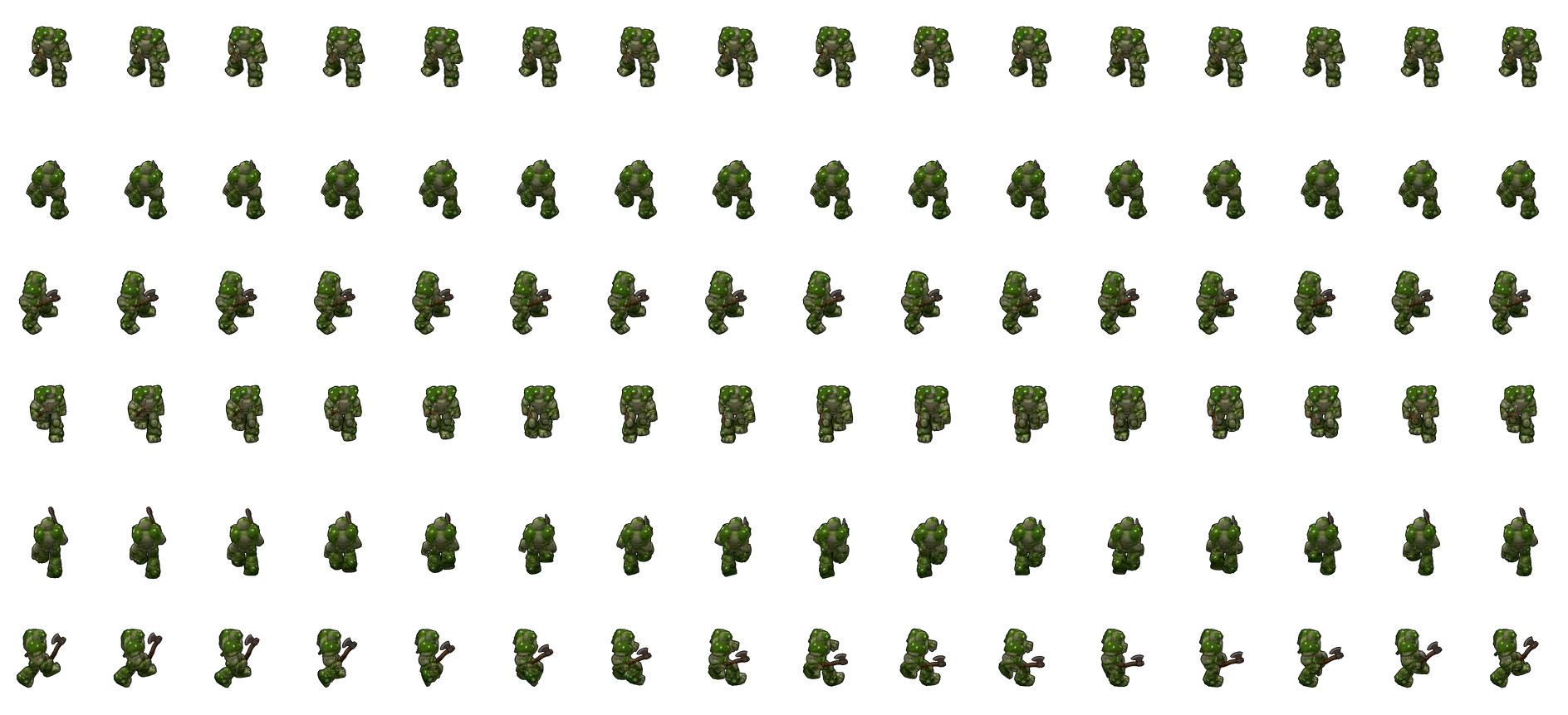
asset render2d golem --view top-downThree files make a sheet
Whatever route made it, a sheet arrives as three files in ./public/assets/, and the command prints one JSON line naming them:
<name>-sheet.png, one clip a row, every frame the same size.- Its atlas: each frame named
<clip>-<n>, its anchor where the feet stand, how tall the body stands in the cell, and each clip's frames listed underanimations. <name>.anim.json, the clip record: the view, the way the frames face, the facings the sheet holds, and each clip's frames, rate and whether it loops.
A ranger filmed walking top-down plays here; below it, an isometric hero's sheet and a golem rendered from 3D.
Four ways to animate
- Drawn,
asset sheet: four poses a clip, drawn by an image model. The route a pixel look takes. - Filmed, the default for
asset character: a video model films each clip from the picture, the loop is cut out and measured before it is kept. - Puppet, free: the picture bent into a set, for a blob, a serpent or a flier.
- Rendered, free: a rigged 3D model played through its clips and drawn from your camera, by
asset render2dor--via render.
--via video|puppet|sheet|render picks one outright, and the report says which ran and why.
Why the look decides everything
A hero with a different outline, palette or light from its map reads as pasted on, however well it moves. So the first ask is asset look: one scene of your game in play, kept as look.json. Every sheet after it is asked in that scene's style and camera, so the sailor and the gull look made for the same pier. Pages by view: isometric, top-down RPG and the pixel platformer hero.
Running it
npm install -g @tyrbo/asset (Node 20.11 or later), then asset login with a key made in the Tyrbo app under Settings, Asset gen. Any agent with a shell can run it: Claude Code, Cursor, Codex, Aider, Windsurf or your own. Each paid call is quoted first and refused if your credits cannot cover it (pricing). asset convert --to godot or --to unity writes the engine's own files for the sheet (Godot's SpriteFrames, or Unity's sliced sprites with an .anim a clip), and Unreal Engine 5 takes it as a texture for Paper2D. Every verb is in the docs.
Questions people ask
Can I try it without an account?
Yes. Add --mock to any command, as with the gull above, and it runs offline with no key, free, writing stand-in files under the real names so your game can load them.
Does asking for the same sheet twice cost twice?
No. A call your account has asked before is answered from its cache, free. A changed ask is a new call, quoted before it runs.
What happens when a clip fails?
The command says so. A filmed clip that fails its loop check is filmed once more; if no take passes, the clip is named as failed beside the ones written, and nothing is faked.
Install it, then ask for the look.
Get an asset keyMake a key in the Tyrbo app, then run asset login. Add --mock to try any command free first.