
A pixel art platformer hero, drawn pose by pose
A platformer hero is seen side on and spends its life in a handful of clips: standing, running along a ledge, leaving the ground and striking. In a pixel game every frame of those clips must be a clean drawing, because a soft in-between frame reads as a smear on a crisp grid. Say pixel art in your look, set a side camera, and the hero’s clips are drawn as key poses instead of filmed.
npm install -g @tyrbo/assetMake a key in the Tyrbo app, then run asset login. Add --mock to try any command free first.
The commands
asset look caverns "chunky 16-bit pixel art platformer, crisp pixels, limited palette, glowing crystal caves" --view side
asset character miner "a small miner with a headlamp and a pickaxe" --view side --clips idle,walk,jump,attack
asset sheet miner-moves --of miner.png --clips combo,dash,climb,hurt,defeat
asset synth hop jump
Made by the CLI, not drawn for this page
Real files the asset CLI wrote, each under the command that made it.
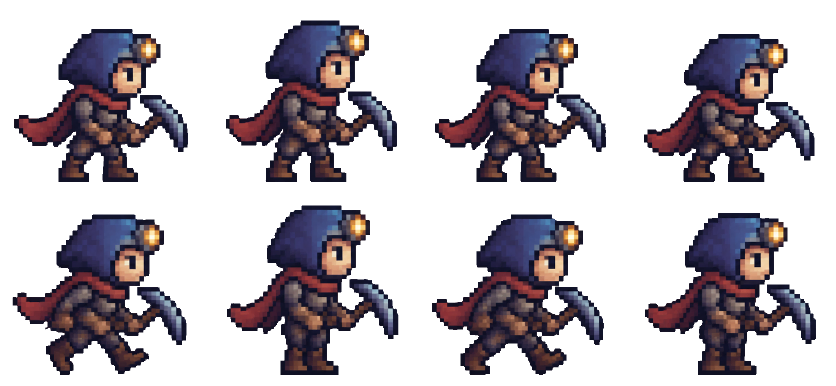
asset character miner "a small miner with a headlamp and a pickaxe" --view side --clips idle,walk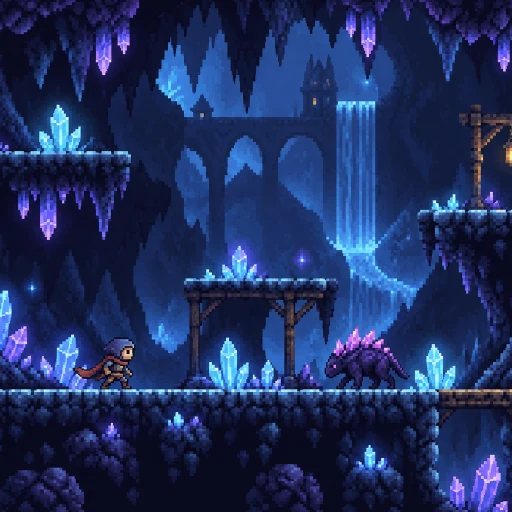
asset look caverns "chunky 16-bit pixel art platformer, crisp pixels, limited palette, glowing crystal caves" --view side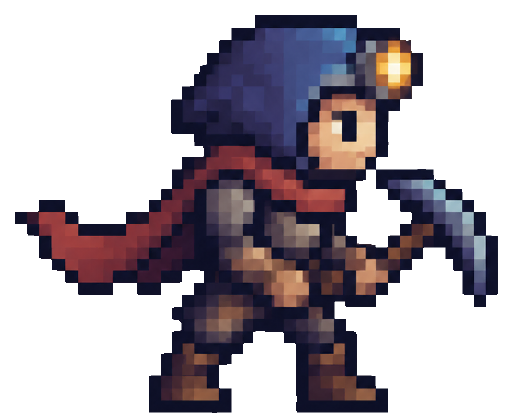
The side view’s starting set
Ask a side-view character with no clips named and it starts with the four a platformer cannot ship without: idle, walk, jump and attack. --clips all adds hit and defeat. A side view has one facing, drawn facing right; your game flips it for running left, so the two directions can never disagree.
The miner above is a real run of these two commands with --clips idle,walk in place of the four: its look, its picture and its sheet, the walk playing from the sheet's own atlas. Asking for all four puts the jump and the attack on the same sheet.
Why a pixel hero is drawn, not filmed
A look or an ask that says pixel, 8-bit, 16-bit, retro, old school or framey sends the clips down the drawn route. Each clip becomes four poses worded as an animator keys them, drawn by the image model in your look, rather than a filmed take cut into frames. Filming suits a painted hero; on a pixel one the blurred frames between poses would undo the grid. Six clips fit one picture, drawn tall so each figure stays large. If you want a filmed take anyway, --via video picks that route outright.
Combos, climbs and anything else
The sheet verb takes clips by name, up to 11. attack is one strike from the stance and back to it; combo is three strikes in sequence, combo-1 to combo-3, each starting where the last ended. dash, climb, hurt and defeat are in its table, and a name it lacks is drawn from the name itself. Every clip is drawn in place: your game moves the hero, the sheet only animates it.
Before drawing, the sheet names what the hero holds and strikes with. A miner asked this way keeps its pickaxe in every pose and swings it in the attack, and a hero who fights barehanded is never handed a sword.
Standing on the platform
Every frame is cut to one size and laid by its feet on one ground line, so the miner lands on a ledge exactly where its idle stands. A jump's poses leave the ground and are laid by their middle instead. The atlas names each frame (jump-1 to jump-4), its anchor and how tall the body stands in it, and miner.anim.json plays each clip at 8 frames a second, the walk looping and a strike once. In Unreal Engine 5 the sheet imports as a texture for Paper2D; Godot slices it into SpriteFrames.
Questions people ask
How many frames does each clip get?
Four drawn poses a clip, played at 8 frames a second. Every frame is a real drawing rather than a blend of two.
Does the look have to say pixel?
Either the look or the character’s own ask may say it. Saying it in the look is better, since every prop, tile and sheet after it is then asked in the same pixel style.
What is the synth command for?
asset synth makes a short sound effect such as a jump or a pickup as a .wav, free, from a seed. It is a quick way to give the new jump a sound while you test it.
Install it, then ask for the look.
Get an asset keyMake a key in the Tyrbo app, then run asset login. Add --mock to try any command free first.