
AI sprites and models for a Godot 4 game
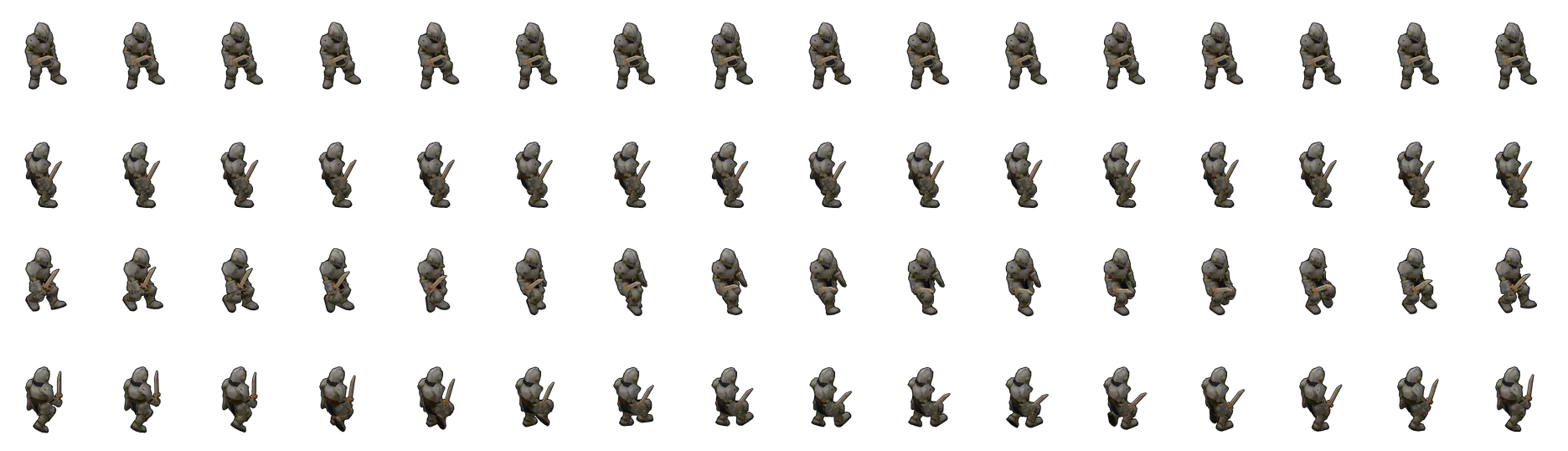
A Godot 4 project takes two kinds of art from the asset CLI: a sprite sheet for a 2D scene, and a rigged .glb for a 3D one. Both are plain files that land in your project, both are made in the one look you set for the game, and one model can give you both. The knight on this page was sculpted once, bound to a skeleton, handed a sword, then filmed from an isometric camera into the sheet you see walking.
npm install -g @tyrbo/assetMake a key in the Tyrbo app, then run asset login. Add --mock to try any command free first.
The commands
asset look meadow "bright cel-shaded fantasy village, warm afternoon light" --view isometric
asset mesh knight "a knight in steel plate with a blue tabard" --rig biped
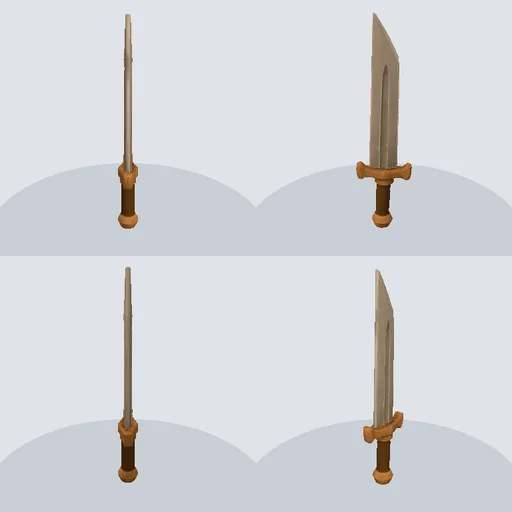
asset mesh sword "a plain steel longsword" --held
asset attach knight sword
asset render2d knight --of knight.glb --clips idle,walk
Made by the CLI, not drawn for this page
Real files the asset CLI wrote, each under the command that made it.
asset render2d knight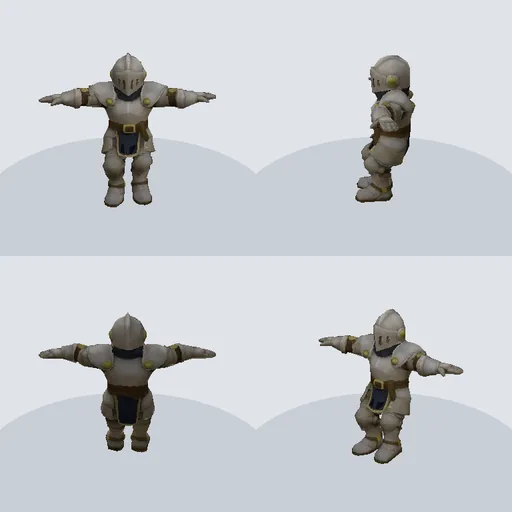
asset mesh knight "…" --rig biped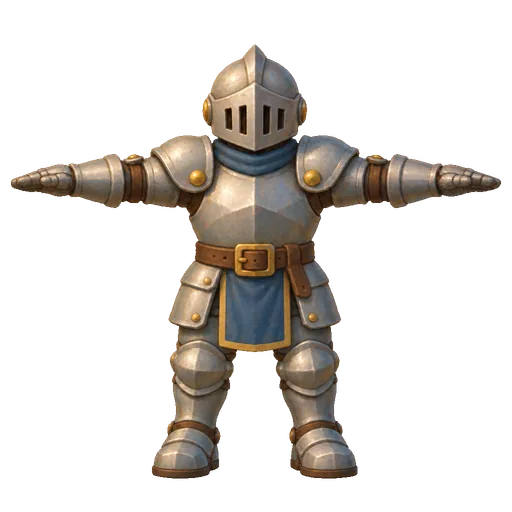
asset mesh sword "…" --held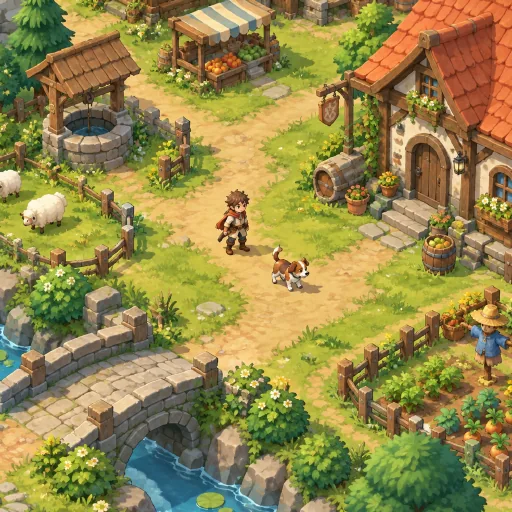
asset look meadow "bright cel-shaded fantasy…" --view isometricA .glb that opens as a scene
asset mesh knight ... --rig biped draws the knight's design in your look, sculpts a textured model from that picture and binds it to a biped skeleton, so it idles, walks and more. Godot 4 imports a .glb as a scene, and the clips written into the file show up in its AnimationPlayer, so your script plays a walk by its name.
Before you import anything, open knight.turntable.png: the model drawn from four sides, enough to judge its silhouette and paint. Its polygons stay inside the budget of its size class (--size 0-4), so a crowd of them is still a game scene.
Weapons in hand
A character is made empty-handed. The sword is its own model, made with --held so its grip is read, and asset attach knight sword fixes it to the hand's joint, rigid, with clips of its own: sword-idle, sword-attack and sword-block. Attaching costs nothing, so trying a second weapon on the same knight is cheap. It also writes a picture of the knight holding it, to check the grip before Godot ever sees the file.
A sheet sliced into SpriteFrames
For a 2D Godot scene, asset render2d plays the model's clips and draws each frame from the game's camera, cel-lit and outlined to sit with painted art. The result is knight-sheet.png, one clip a row, with knight-sheet.atlas.json naming every frame <clip>-<n> and giving its box, and knight.anim.json saying how fast each clip runs and whether it loops. Every frame is one size, so slicing it into SpriteFrames is a matter of reading those boxes into animations of the same names.
Painted characters work the same way: asset character writes the same three files from a picture instead of a model.
Godot’s own files: asset convert --to godot
asset convert ranger --to godot --into ../my-game/art turns what the CLI made into Godot 4’s own resources, free and on your machine. A sheet becomes ranger.sprite_frames.tres, each frame a region of the sheet and each clip at its own rate and loop, beside a ranger.tscn that plays it. A model becomes a plain .glb with its .glb.import settings looping the clips that loop, and a biped gets a bone map for Godot’s humanoid profile. Everything is sized in metres against your hero, and nothing is written over an original. The docs list what it reads.
Questions people ask
Should a Godot game use the sheet or the model?
A 2D game wants the sheet, a 3D game the .glb. An isometric 2D game can have both from one model: sculpt it once, then asset render2d films it into a sheet from your camera, as the knight here was.
Can the files go straight into my Godot project folder?
Files land in ./public/assets/ by default. Set TYRBO_ASSET_OUT to the folder your project keeps its art in, and every call writes there instead.
Do I have to convert anything for Godot?
No. Godot 4 reads the PNG and the .glb as they are. asset convert --to godot saves the slicing and the import settings: it writes the SpriteFrames, the scene and the loops for you, free.
Install it, then ask for the look.
Get an asset keyMake a key in the Tyrbo app, then run asset login. Add --mock to try any command free first.