
AI sprites, textures and creatures for Unreal Engine 5
Unreal Engine 5 takes the asset CLI’s files the way it takes any artist’s: a sprite sheet comes in as a texture for Paper2D, a surface as a tiling texture, and a model through the engine’s glTF importer as a .glb. What the CLI adds is that all of them were asked in one look, so a creature built in 3D and a hero painted in 2D belong to the same village. Everything here is from the Meadowfall run.
npm install -g @tyrbo/assetMake a key in the Tyrbo app, then run asset login. Add --mock to try any command free first.
The commands
asset look meadow "bright cel-shaded fantasy village, warm afternoon light" --view isometric
asset texture path "cobbled village path seen from above"
asset character hero "a young adventurer with a red scarf" --clips idle,walk
asset shape crab "a red beach crab with two big claws" --rig own
asset clips quadruped --move walk
Made by the CLI, not drawn for this page
Real files the asset CLI wrote, each under the command that made it.
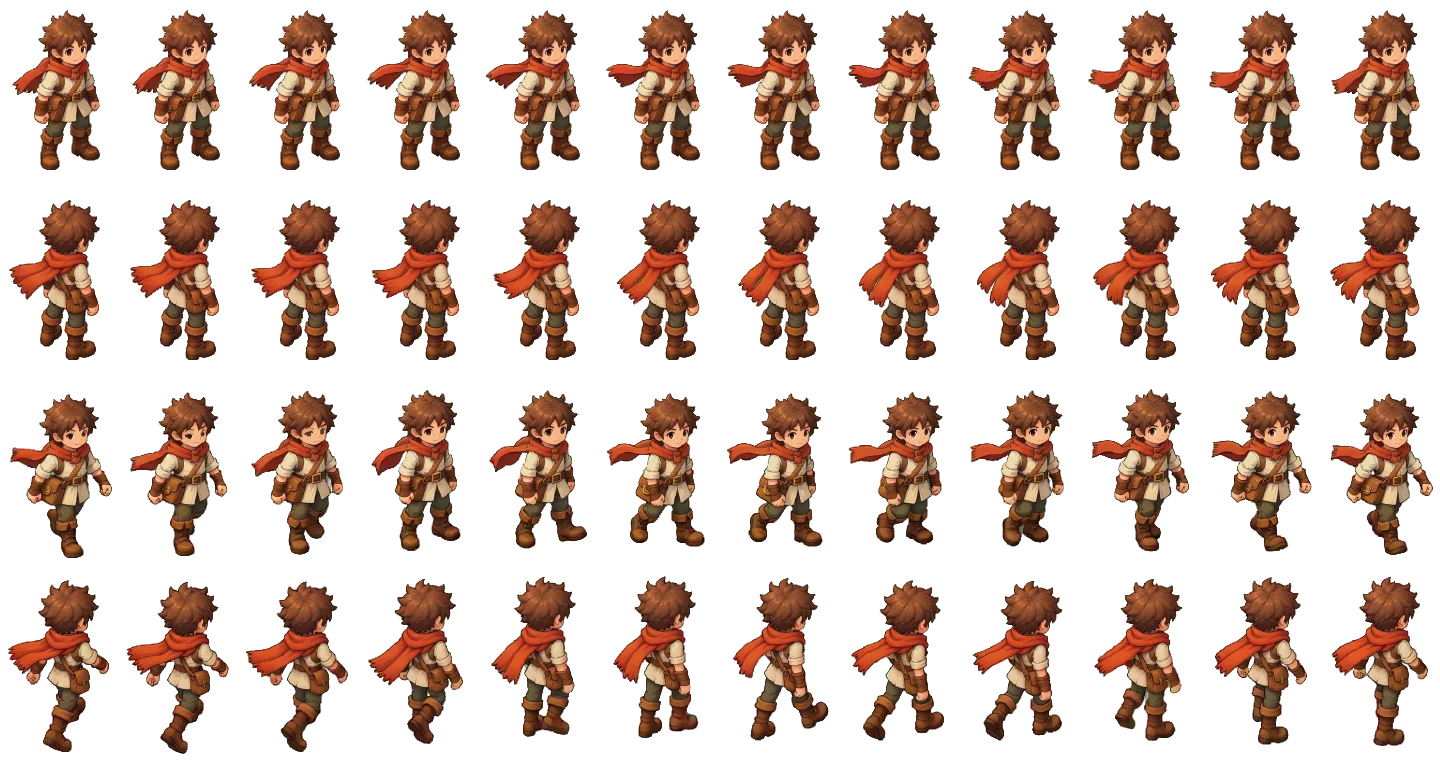
asset character hero "a young adventurer…" --view isometric --clips idle,walk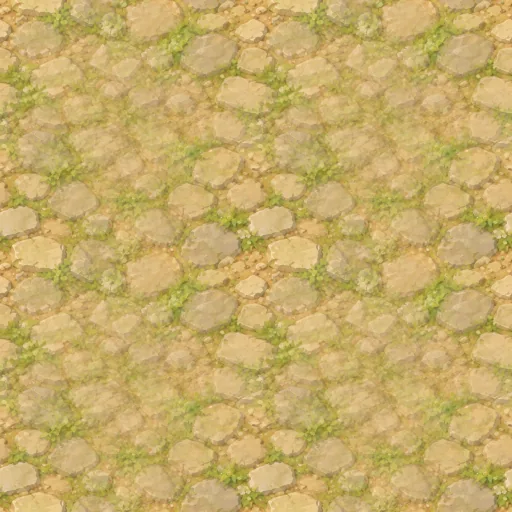
asset texture path "…"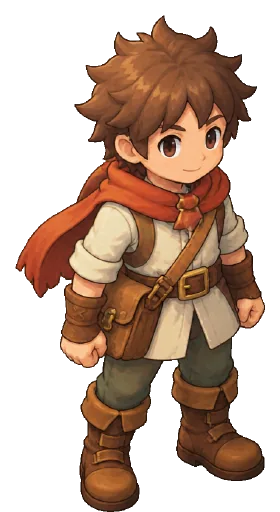
A sheet as a Paper2D texture
Import hero-sheet.png as a texture and cut its sprites by hero-sheet.atlas.json, which gives every frame's box and names it after its clip. hero.anim.json says which frames make which clip and at what rate, so a flipbook built from it plays the walk as it was made. Because the frames share one size and one ground line, the hero's feet stay put from the first frame of a walk to the last.
For an isometric game the hero comes with a back view too, hero-up.png, and its own clips on the same sheet (walk-up, idle-up).
Ground that repeats without a join
asset texture makes an opaque surface that tiles, painted in the look rather than photographed, so it sits under sprites drawn in that same style. The cobbled path here was asked with the words on this page and nothing else; the look supplied its palette and light. Use it as a material's base colour and repeat it across a level.
Creatures on a skeleton of their own
Some bodies no library rig fits: eight legs, tentacles, a snake. asset shape crab ... --rig own plans one, builds its skeleton and gives it an idle, a walk, an attack, a hit and a death, all inside crab.glb for the glTF importer. crab.frames.png shows key frames of those clips, and crab.creature.json is the plan itself: change a chain in it and run the command again, free.
People and animals use the library instead. asset mesh --rig biped (or quadruped, or flier) sculpts and binds one, and asset clips lists what the library can put on it.
An Unreal converter, coming soon
asset convert writes an engine’s own resources, and today it speaks Godot’s and Unity’s. Unreal’s is coming soon. Until then the files above are standard: a PNG and its JSON for each sheet, a .glb for each model, and the docs list exactly what each one holds.
Questions people ask
Are the models built for film or for games?
For games. Each model keeps to the polygon budget of its size class, and a rigged one keeps it on its rig, so they suit a real-time scene rather than a render farm.
Can I rig a model I already have?
Yes. asset rig binds a .glb you bring to a biped, quadruped or flier skeleton, and rebinds an already skinned one for free. asset animate then writes library clips into it.
Does Unreal need anything extra to read the files?
The .glb goes through Unreal Engine 5’s glTF importer, and a sheet is an ordinary PNG texture for Paper2D. The CLI writes nothing engine-specific today.
Install it, then ask for the look.
Get an asset keyMake a key in the Tyrbo app, then run asset login. Add --mock to try any command free first.