
A rigged .glb character, ready for Godot 4
Godot 4 imports a .glb as a scene: the mesh, its skeleton, and its animations in an AnimationPlayer. That makes a single file the shortest route from a generator into your project. The asset CLI writes exactly that file. Describe the character, and asset mesh --rig biped hands back a textured model on a skeleton with its first clips already in it.
npm install -g @tyrbo/assetMake a key in the Tyrbo app, then run asset login. Add --mock to try any command free first.
The commands
asset look meadow "bright cel-shaded fantasy village" --view isometric
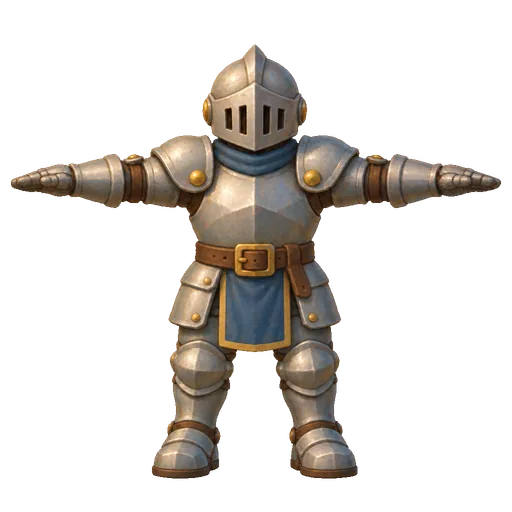
asset mesh knight "a knight in plate armour and a blue tabard" --rig biped
asset animate knight --clips idle,walk,run,jump
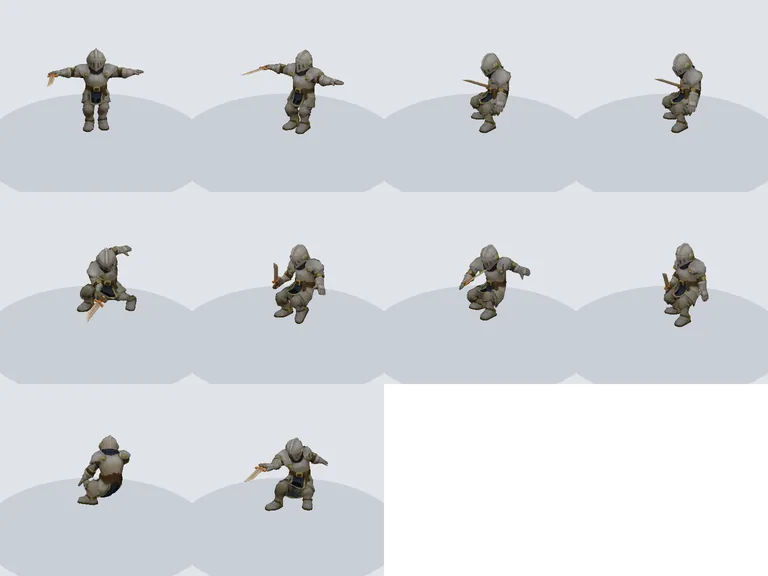
asset animate knight --clips slash,kick
Made by the CLI, not drawn for this page
Real files the asset CLI wrote, each under the command that made it.
asset mesh knight "…" --rig biped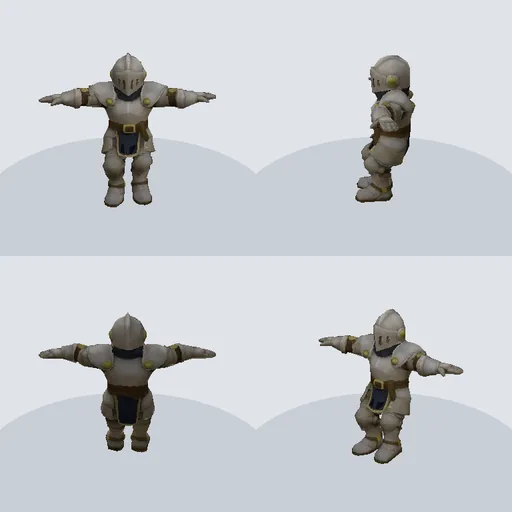
asset attach knight swordWhat Godot finds inside the file
Drop knight.glb into your project and Godot imports it as a scene you can instance. The clips the CLI wrote are in that scene's AnimationPlayer, each under its name from the clip library, so your script plays them by name. The texture is packed inside the file, so there is no material to relink. The knight on this page was designed in the village's look, sculpted, bound and given its clips in one call. Next to the model sit knight.design.png, the picture it was sculpted from, and knight.turntable.png, the model from four sides, so you can judge it before you open the editor at all.
More moves, the same file
asset animate writes clips into the .glb you already have, for free. Ask for a fighting set later and the walk you are already using stays; only a clip with the same name is replaced. Action words map to clips of their own: slash, kick, punch, cast, shoot and throw. To see every clip the biped skeleton can take, with its move, length, loop and tags, run asset clips biped. Import the file again and the new clips are in the AnimationPlayer with the old ones.
Putting the files where Godot looks
The CLI writes to ./public/assets/ by default. Point TYRBO_ASSET_OUT at a folder inside your Godot project and every model, design picture and turntable lands there. Each call prints one line of JSON naming what it wrote, or explains on stderr why it could not and exits 1, so an agent working in your repository can wire the scene in without guessing file names.
Godot’s import settings, written for you
asset convert knight --to godot writes a plain knight.glb with its .glb.import settings, so each clip that loops plays looping in Godot under the name you asked for, and a biped gets knight.bone_map.tres for Godot’s humanoid profile, ready to retarget another humanoid’s clips. It is free, runs on your machine and never writes over the original; --into puts the files straight into your Godot project. Making a 2D Godot game instead? A model like this knight can be rendered into a sprite sheet, and AI sprites for Godot covers the painted 2D route.
Questions people ask
Can the knight hold a sword in Godot?
Yes. Make the sword with asset mesh sword "..." --held, then asset attach knight sword. It rides the hand inside knight.glb with its sword clips, so Godot imports it as part of the same scene.
What are the clips called?
They keep their names from the clip library, which asset clips biped lists with each clip’s move and length. You play them in the AnimationPlayer by those names.
Do I need asset convert, or is the .glb enough?
The .glb imports into Godot 4 as it is. asset convert --to godot adds the import settings that loop the right clips and, for a biped, the bone map, so you skip setting them by hand.
Install it, then ask for the look.
Get an asset keyMake a key in the Tyrbo app, then run asset login. Add --mock to try any command free first.