
An isometric game art generator that holds the angle
In an isometric game the camera is the style. A chest drawn a few degrees too flat, or a hero seen from straight ahead, stands out at once against diagonal streets. With the asset CLI you name the angle once, on the look, and it rides along with every picture after it. Meadowfall’s village was drawn that way, and the hero walking above, the chest and the cobbled path all came out at its angle.
npm install -g @tyrbo/assetMake a key in the Tyrbo app, then run asset login. Add --mock to try any command free first.
The commands
asset look meadow "bright cel-shaded fantasy village" --view isometric
asset character hero "a young adventurer with a red scarf and a satchel" --clips idle,walk
asset image chest "an iron-bound wooden chest with a padlock"
asset texture path "a cobbled dirt path"
asset character guard "a village guard with a spear" --via render --clips all
Made by the CLI, not drawn for this page
Real files the asset CLI wrote, each under the command that made it.
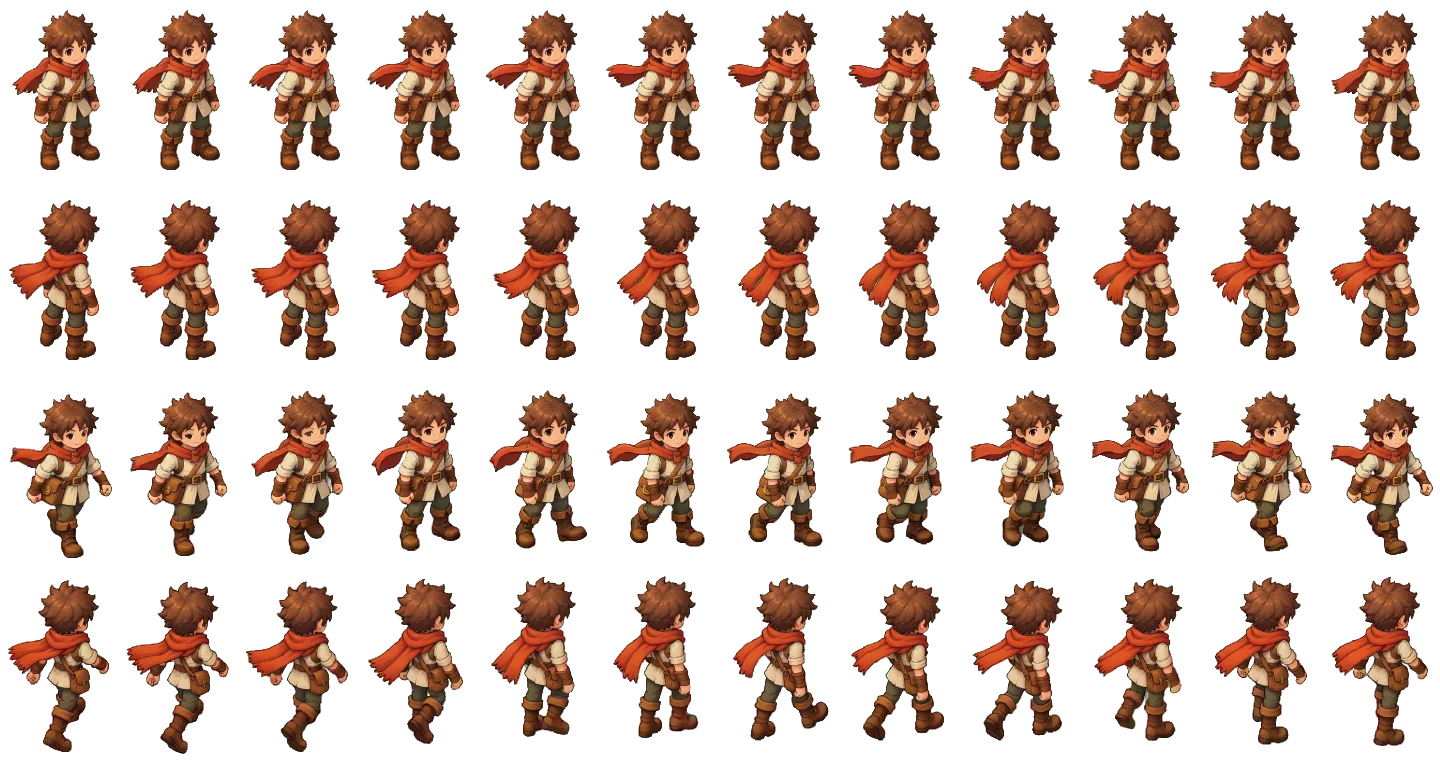
asset character hero "a young adventurer…" --view isometric --clips idle,walk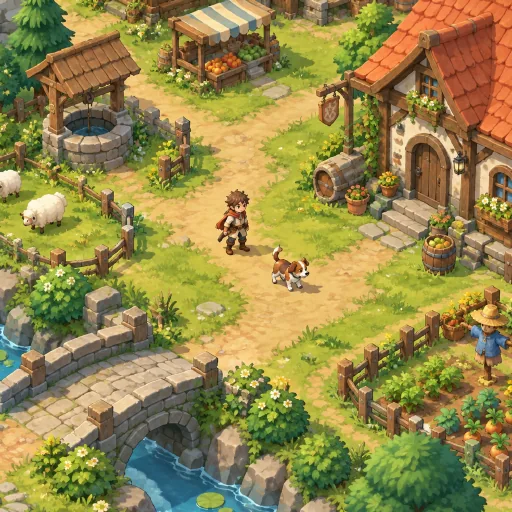
asset look meadow "bright cel-shaded fantasy…" --view isometric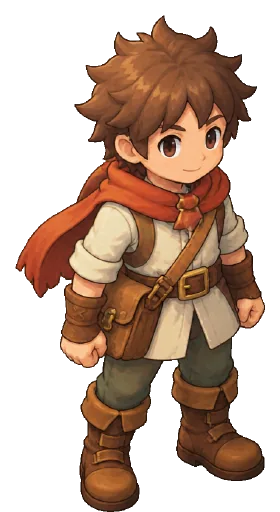
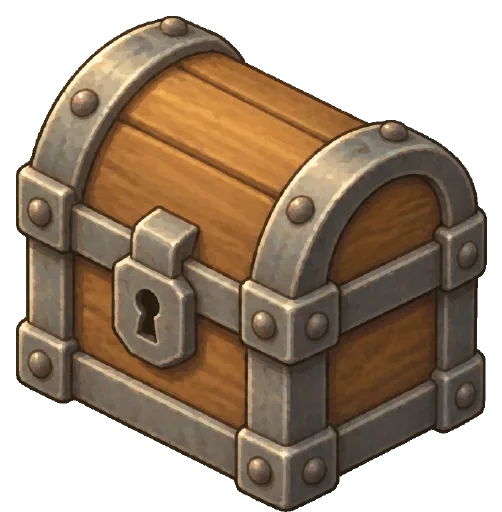
asset image chest "…"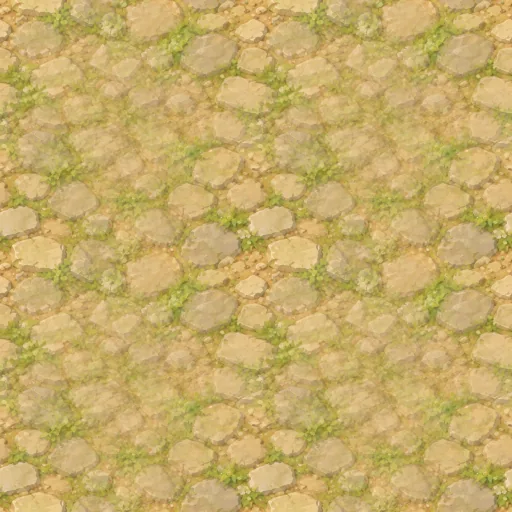
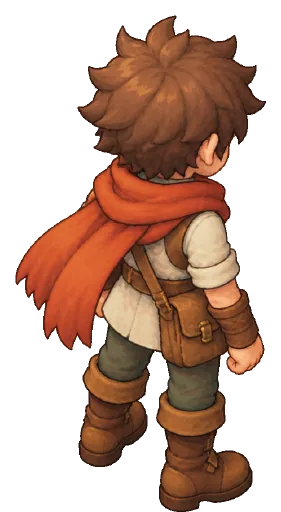
asset texture path "…"The camera is stored with the look
--view isometric is one of the camera words the CLI says precisely to the image model, along with side, top-down, overhead and front; iso reads as the same thing. The look keeps it, and every later image, sheet and texture is asked from that camera. You can still give one call its own --view, say a front-on portrait for a dialogue box, and it overrides the look for that picture alone. Leave it off and the angle stays the village’s.
Two facings, four diagonals
An isometric hero needs a front and a back, both seen from above at three quarters. asset character draws the front from your words, then draws hero-up.png from it, the same figure with its back to the camera, so the red scarf and satchel carry over. Each clip is made for both: walk toward the camera and walk-up away from it, with an idle for each. The frames face right; a flipped frame keeps its feet in place, so mirroring gives your game the other two diagonals.
Props and ground at the same angle
The chest was asked with nothing but what it is. It came back standing on its bottom edge, drawn for the meadow scene, with its height in hero heights so your game places it at the right size beside the hero. The cobbled path is a tiling texture in the same palette and light, ready to lay down as a road between the cottages. For the counters and buttons over the map, the game UI generator draws a skin in the same look.
A 3D character rendered to the same view
Some isometric games build their heroes in 3D and show them as 2D frames. --via render does that: the guard is made as a model on a biped skeleton, then asset render2d plays each clip and draws it through an orthographic camera tilted to the isometric angle, at every facing the view wants. The sheet comes out with the same atlas and record a drawn character gets, so your game plays both kinds side by side. More on the drawn route is on the isometric character sprite sheet page, and Meadowfall’s flat colour is covered in cel-shaded game assets.
Questions people ask
Can I change the camera after I have assets?
Draw a new look with the new --view. Files you already have are kept as they are; asset character … --replace draws a character’s whole set again in the new angle.
Does it make isometric tiles?
asset texture makes tiling surfaces such as the path here, and asset image with --names makes a set of pieces, walls or crates, at one scale in one call.
Which directions does the hero sheet cover?
Two are drawn, toward the camera and away from it. Flipped, they give the four diagonal headings an isometric map moves in.
Install it, then ask for the look.
Get an asset keyMake a key in the Tyrbo app, then run asset login. Add --mock to try any command free first.