
An isometric character sprite sheet, front and back
An isometric map is seen from above at an angle, so a hero heading toward the bottom of the screen shows its face and one heading toward the top shows its back. Each of those needs clips of its own, and both have to read as one person at one size on the same tiles. Give the CLI an isometric camera in your look, ask for the character once, and it draws the back from the front, animates both and lays every frame on a single sheet.
npm install -g @tyrbo/assetMake a key in the Tyrbo app, then run asset login. Add --mock to try any command free first.
The commands
asset look meadow "bright cel-shaded fantasy village, warm afternoon sun" --view isometric
asset character hero "a young adventurer with a red scarf and a satchel" --clips idle,walk
asset character dog "a scruffy brown village dog" --body quadruped --clips idle,walk
Made by the CLI, not drawn for this page
Real files the asset CLI wrote, each under the command that made it.
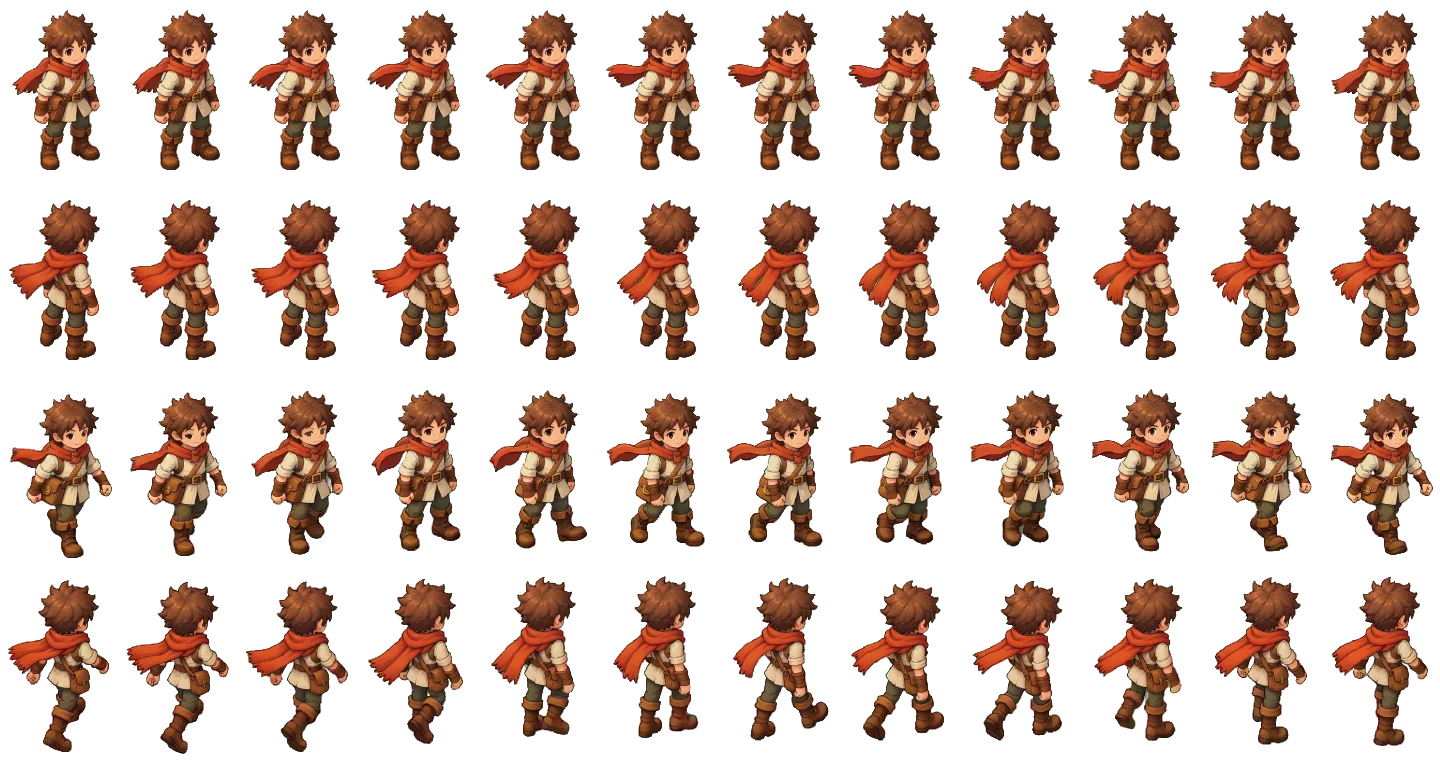
asset character hero "a young adventurer…" --view isometric --clips idle,walk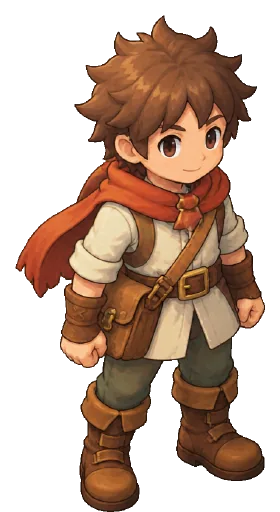
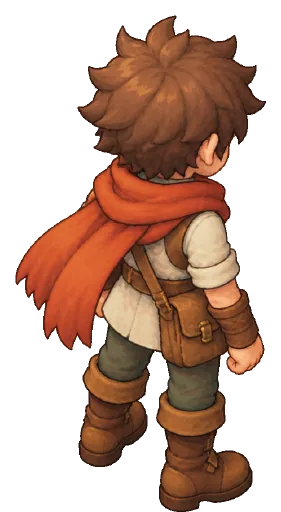
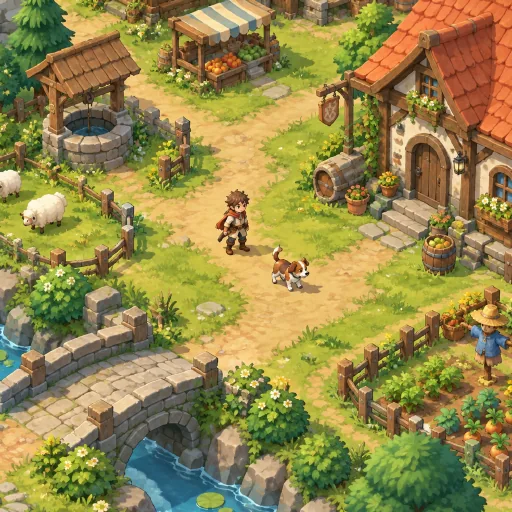
asset look meadow "bright cel-shaded fantasy…" --view isometricTwo facings at three quarters
An isometric view wants two facings: toward the camera and away from it, both seen at three quarters from above. asset character draws the front from your words, then draws hero-up.png from that front, "seen from behind", so the red scarf and the satchel strap are the same scarf and strap on the back. The clips follow a naming rule: the front's carry no suffix and the back's end in -up, so this hero's sheet holds idle, idle-up, walk and walk-up.
Two facings keep the sheet small. Many isometric games mirror them for the other diagonal, which turns two drawn ways into four directions of travel.
The camera is said once
The angle lives in the look. asset look with --view isometric draws one scene of your village in play and keeps it as look.json, and every later picture and sheet is asked from that camera, in that palette and light. You never repeat "isometric" in a character's words, and a hero drawn next week stands at the same angle as the cottages drawn today. The short form iso reads too. The village, the adventurer and the walk on this page all came from one run.
Filmed from the picture, then cut
By default each clip is filmed by a video model from the facing's own picture, set on a flat key colour with the camera locked. The key is taken out, the loop is found in the footage and the frames are laid on the sheet. Every frame is one size, and the feet of both facings stand on one shared anchor, so when your hero turns from walking down the screen to walking up it, the sprite does not hop. The body is drawn --height pixels tall, 160 unless you say otherwise.
Companions and townsfolk in the same set
Anything that moves on the same map is asked the same way. The dog in the commands above is a four-legged body (--body quadruped), filmed front and back like the hero, in the village's look. Each one writes <name>-sheet.png, its atlas, whose frames are named walk-up-1 and on, and <name>.anim.json. In Godot you slice the sheet into SpriteFrames; in Unity the Sprite Editor slices it. For a hero seen straight from above, see the top-down RPG sheet.
Questions people ask
Does it draw the side facing too?
Not for an isometric view: it wants the front and the back. A side facing belongs to a top-down view, which draws three ways. Mirror the two isometric facings in your game for the other diagonal.
What if I change the look later?
Files already there are kept, so nothing is drawn over by accident. Ask the character again with --replace and the whole set, both facings and every clip, is drawn again in the new look.
Can I try the command before paying?
Yes. Add --mock and it runs offline with no key and no credits, writing a stand-in sheet with the real file names, so you can wire the sheet into your game first.
Install it, then ask for the look.
Get an asset keyMake a key in the Tyrbo app, then run asset login. Add --mock to try any command free first.