
Walk cycles that loop, in every direction your game moves
The walk is the clip your player watches more than any other, so its faults show first: a hitch where the loop wraps, feet that slide across the floor, a hero who turns to walk up the map and still shows its face. The asset CLI makes the walk for every facing your camera wants, measures each loop before keeping it, and stands every frame on the same ground line.
npm install -g @tyrbo/assetMake a key in the Tyrbo app, then run asset login. Add --mock to try any command free first.
The commands
asset look grove "hand-painted fantasy forest, soft dappled light" --view top-down
asset character ranger "a young ranger in a green hood" --clips idle,walk
asset character courier "a running courier with a bag of letters" --clips walk,run --takes 2
asset sheet ranger-drawn --of ranger.png --clips walk,walk-up,walk-side
Made by the CLI, not drawn for this page
Real files the asset CLI wrote, each under the command that made it.
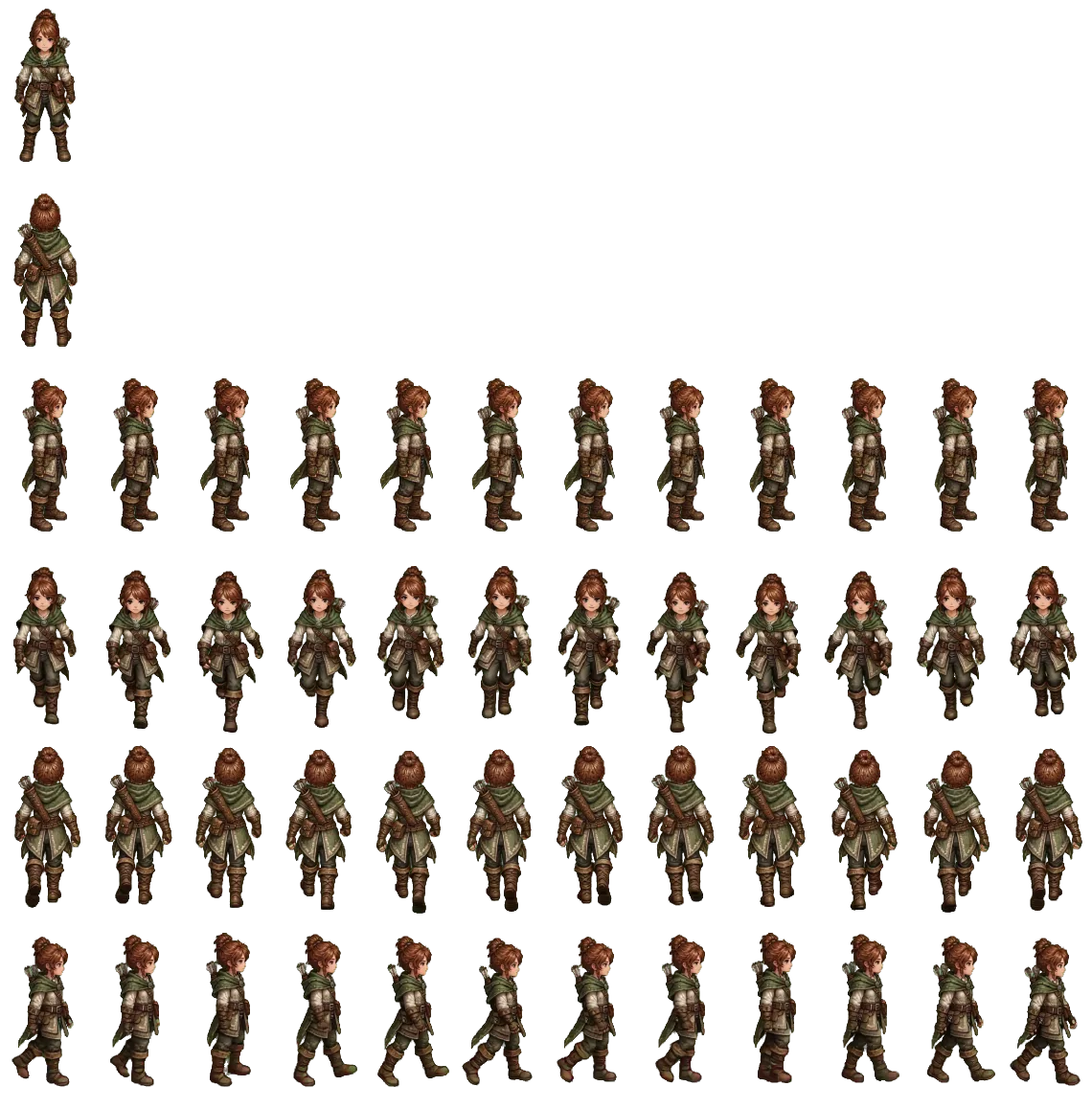
asset character ranger "a young ranger in a green hood" --clips idle,walk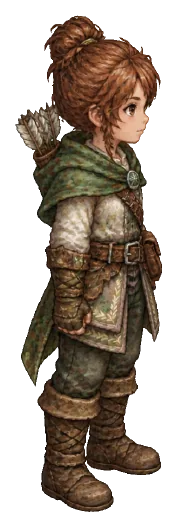
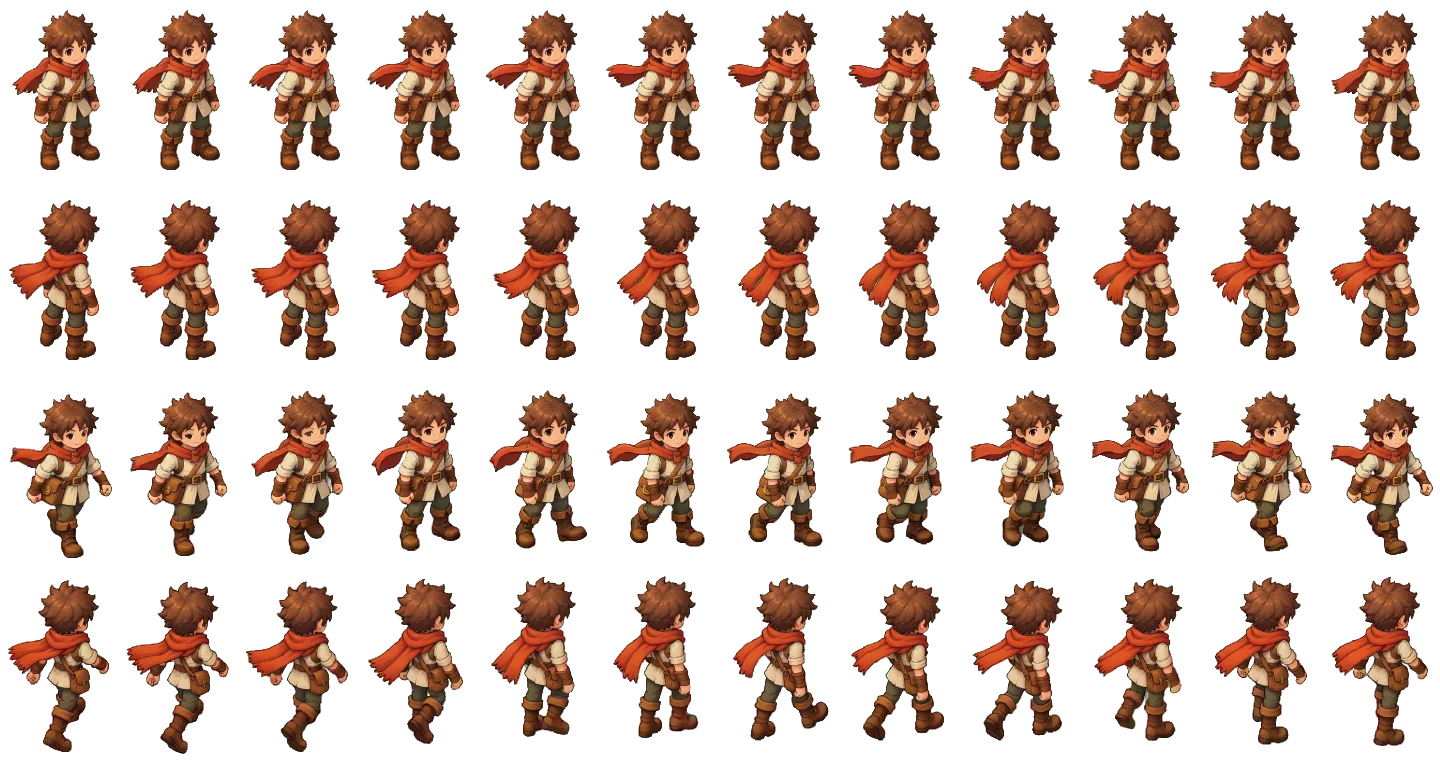
asset character hero "a young adventurer…" --view isometric --clips idle,walkWhich ways the walk goes
The camera decides how many walks you get. Ask for walk and the CLI makes one for each facing the view wants:
- Side view: one walk in profile, facing right, which the game flips.
- Top-down:
walk,walk-upandwalk-side, toward the camera, away from it and across. - Isometric:
walkandwalk-up, front and back at three quarters.
The ranger playing here walks to the side across a top-down forest; the same sheet holds her walk down and up. Below it is the hero's isometric sheet, two facings.
How a filmed loop is found and checked
A filmed walk is a few seconds of footage, not a cycle. The cut looks for the two frames at least a third of a second apart whose silhouettes and colours match best, with real motion between them, and keeps that span as the loop, resampled to 12 frames. It plays at the cycle's own rate, between 6 and 24 frames a second.
Then it is measured, free. The walk must move enough to clear its bar, and the seam, the step from the last frame back to the first, must sit between half and twice the median step, so the wrap is no bigger a jump than any other step. A take that fails is filmed once more; if none passes, the clip is reported as failed by name and nothing is faked. --takes 2 films two side by side and keeps the livelier one that passes.
Feet that stay where they land
Every frame of the sheet is one size, each figure laid by its foot on one ground line and centred on its mass, so a character placed by its feet never bobs as it walks. The atlas records that anchor, and every facing shares it, so turning from walk-side to walk-up never makes the sprite jump. The walk is drawn in place: your game slides the sprite, and you match its speed to the stride.
A drawn walk instead
asset sheet draws a walk as four poses, worded the way an animator keys them, and plays them at 8 a second. It is the route a pixel look takes, and it reads a facing in a clip's name, so walk-up is drawn from behind. Want a brisker gait on a filmed walk? --energy lively asks for one.
Questions people ask
How many frames is a walk cycle?
A filmed walk is cut to 12 frames a loop. A drawn walk is four key poses. Both sit in the same atlas and clip record, so your game plays either the same way.
Does the walk move my character across the screen?
No. Every clip is made in place, the way engines expect a sprite to be animated. Your code moves the sprite, and the clip keeps the legs going.
What if my walk comes back stiff or too quiet?
Film it again with --energy lively, or with --takes 3 to choose the liveliest of three takes that pass the loop check. Each extra take is quoted before it runs.
Install it, then ask for the look.
Get an asset keyMake a key in the Tyrbo app, then run asset login. Add --mock to try any command free first.