
AI sprites and rigged models for Unity
Unity reads what the asset CLI writes, and asset convert --to unity writes Unity’s own files from it, free: a sheet sliced into named sprites with an .anim a clip, and a model for glTFast with each clip its own .anim and a humanoid bone map. Checked by hand in Unity 6 and 2022.3. The forest ranger and the stone golem on this page came from one top-down run, so a 2D hero and a 3D enemy share a palette and a light.
npm install -g @tyrbo/assetMake a key in the Tyrbo app, then run asset login. Add --mock to try any command free first.
The commands
asset look grove "hand-painted forest, soft dappled light" --view top-down
asset character ranger "a young ranger in a green hood" --clips idle,walk
asset mesh golem "a mossy stone golem" --rig biped --size 3
asset mesh axe "a heavy woodcutter axe" --held
asset attach golem axe --hand right
asset convert ranger --to unity --into ../MyGame/Assets/Art
asset convert golem --to unity --into ../MyGame/Assets/Art
Made by the CLI, not drawn for this page
Real files the asset CLI wrote, each under the command that made it.
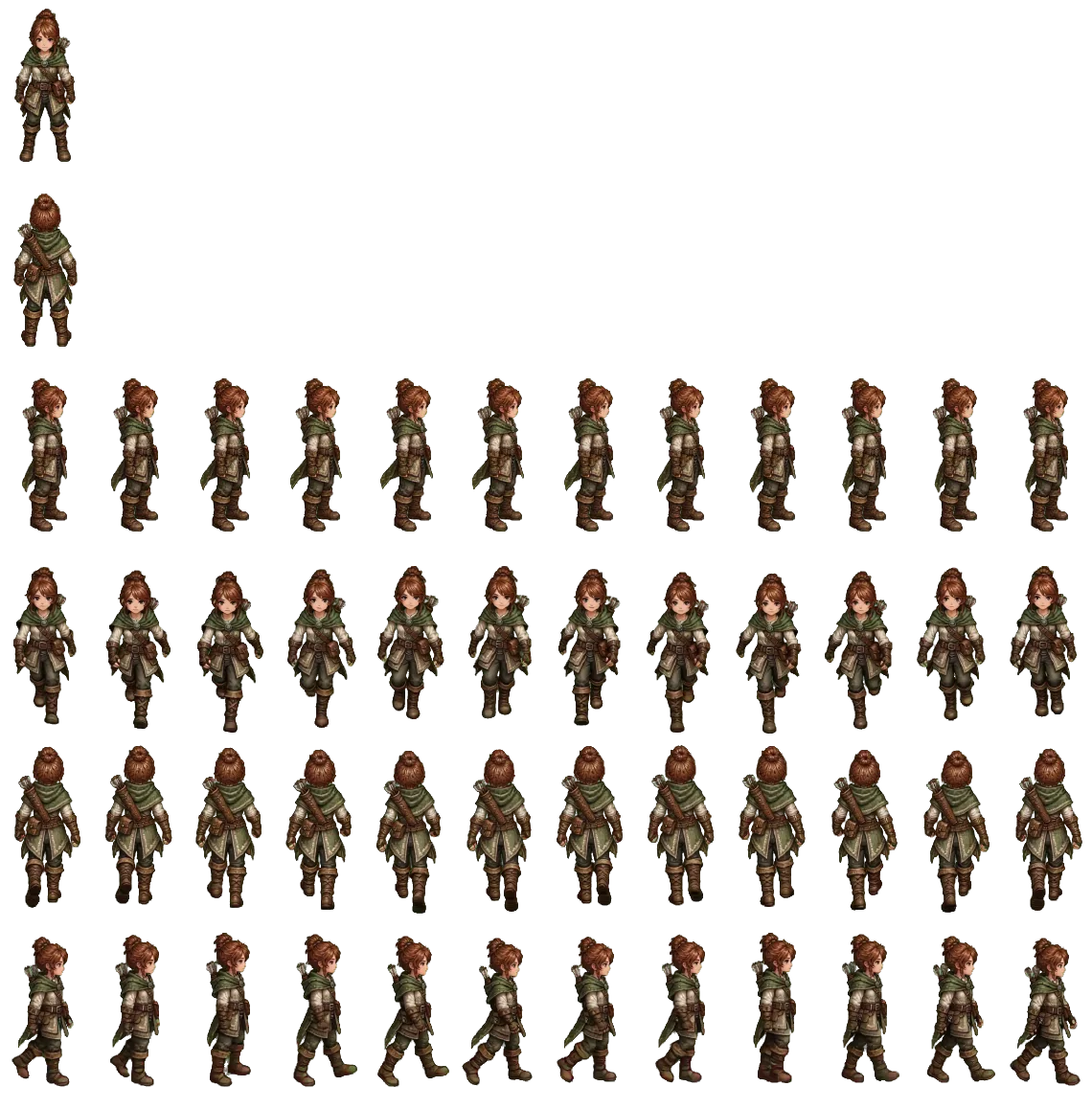
asset character ranger "a young ranger in a green hood" --clips idle,walk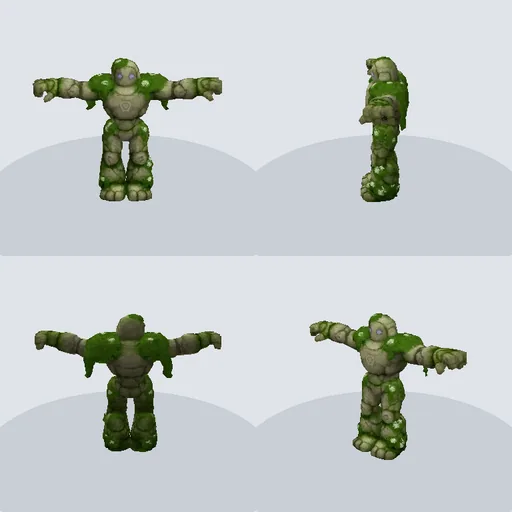
asset mesh golem "…" --rig biped
asset attach dwarf axe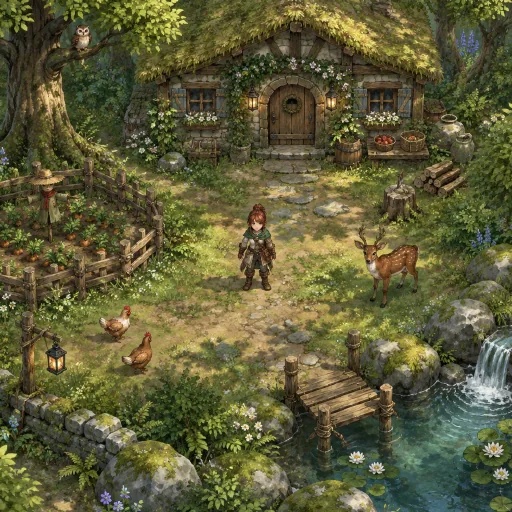
asset look grove "hand-painted fantasy forest, soft dappled light, top-down" --view top-downSlicing the sheet in the Sprite Editor
ranger-sheet.png holds one clip a row, and ranger-sheet.atlas.json lists each frame by name (walk-1, walk-2 and on) with its box in pixels. Cut the sheet by those boxes and every sprite comes out named after its clip and frame. Since each frame is the same size and stands on one ground line, a character keeps its feet still as it animates instead of drifting a pixel per frame.
Each frame also carries an anchor: the middle of that ground line, as a share of the frame. It is the natural pivot for the sprite, so a ranger placed at a tile's centre stands on it.
One height for every character
Frames grow to fit whatever a figure swings, so a golem with an axe has taller frames than the same golem empty-handed. The atlas gives a body value, how tall the body stands in the frame, so you scale sprites by the body and not the frame. Size by that number and a hero with a spear stands as tall as one with a dagger.
ranger.anim.json records the rest: the view it was drawn for, the frames of each clip, a walk that loops and a strike that plays once. The side walk is drawn facing right; flip it for the walk left.
Rigged models through glTF
asset mesh golem ... --rig biped gives a textured golem.glb bound to a skeleton, with its idle and walk inside, or tells you why it could not be bound. Bring it in through a glTF importer package such as glTFast. The axe is made alone with --held and put in the right hand by asset attach, with clips of its own. The dwarf shown here got its axe the same way, and swings it through the axe's own clip in three.js.
Need a clip the model lacks? asset clips biped lists the library, and asset animate writes the ones you pick into the file, free.
Unity’s own files, from one command
asset convert ranger --to unity --into ../MyGame/Assets/Art writes the sheet with its .png.meta, which slices it into sprites named after the atlas, each pivoted where the feet stand, and an .anim a clip that swaps a SpriteRenderer's sprite at the clip's rate, looping as it does. For a model it writes the .glb for glTFast with each clip taken out as its own .anim, looping as recorded, and golem.humanoid.json, its bones as Unity's HumanDescription names them for an avatar. It is free and runs on your machine; the docs list every file.
Questions people ask
Do I need a plugin to bring these into Unity?
Not for sprites: asset convert --to unity writes the slicing and the clips. A .glb comes in through glTFast, the glTF package Unity publishes.
Will a 3D enemy match my 2D hero?
Both are asked in the same look. The golem’s design is drawn in that look before it is sculpted, which is why the golem and the ranger on this page read as one forest.
Can I see the sheet in motion before I import it?
The ranger above plays straight from its sheet and atlas, as a game would. Run the same commands with --mock first and you get stand-in files under the real names, free, to wire the import.
Install it, then ask for the look.
Get an asset keyMake a key in the Tyrbo app, then run asset login. Add --mock to try any command free first.