
A pixel art asset generator that keeps one palette
Pixel art falls apart fastest when its pieces come from different places: one sprite at 16 colours, the next at 40, a chest drawn at another scale. The asset CLI starts from a single scene of your game and asks everything after it in that scene’s style. The crystal cave and the miner below are a real run: one pixel look, then one character asked in it with no style words of its own, and the look sent the miner’s clips down the drawn-pose route by itself.
npm install -g @tyrbo/assetMake a key in the Tyrbo app, then run asset login. Add --mock to try any command free first.
The commands
asset look crypt "16-bit pixel art dungeon, a small dark palette, ember lamps, crisp square pixels" --view top-down
asset character knight "a stout knight with a round shield and a bucket helm" --clips idle,walk,attack
asset image loot "a brass key, a red potion, a cracked skull" --names key,potion,skull
asset texture floor "cracked flagstones seen from above"
asset ui "dark stone and rusted iron" --pixel --vertical-phone
Made by the CLI, not drawn for this page
Real files the asset CLI wrote, each under the command that made it.
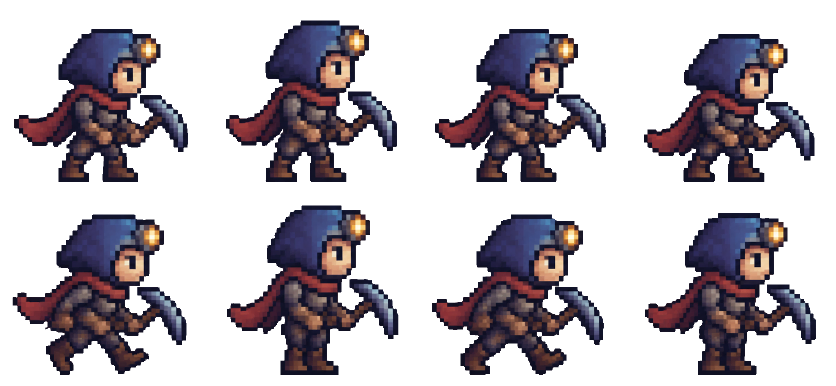
asset character miner "a small miner with a headlamp and a pickaxe" --view side --clips idle,walk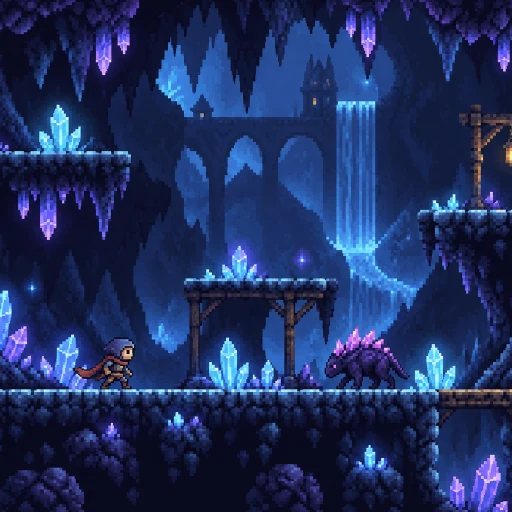
asset look caverns "chunky 16-bit pixel art platformer, crisp pixels, limited palette, glowing crystal caves" --view side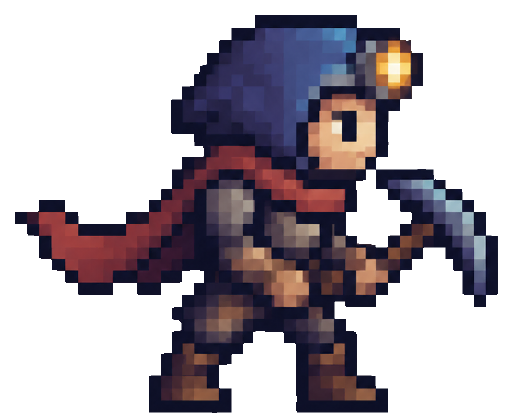
The look’s words set the pixels
asset look draws one scene of your dungeon in play, with a hero, a foe and a few things on its floor, and keeps it as look.json beside crypt.png. From then on, each image, sheet and texture call sends that scene as its reference and the look’s words as its style. So the words you choose here matter more than any later ask. Name the era (8-bit or 16-bit), the palette (a few dark tones, one warm accent), and how hard the edges are.
What one kind of thing has of its own goes in that thing’s ask, not the look: a chibi head on the heroes, a glint on the loot. The key, the potion and the skull above come from one call, at one scale, each cut into its own file.
Clips drawn as poses, not filmed
By default a character’s clips are filmed by a video model from its picture, which suits a painted game. A look or an ask whose words say pixel, 8-bit, 16-bit, retro, old school or framey takes another route: each clip is drawn as four key poses, the way a sprite animator blocks them, so the frames stay pixel art rather than blurred in-betweens.
--clips idle,walk,attackgives a row of four poses for each clip, for every facing the camera wants.- Every frame comes out one size, standing on one ground line, so the knight never bobs as he walks.
- If your words never say pixel,
--via sheetpicks the drawn-pose route outright.
The report names the route that ran and why, so you can tell which one drew your sheet.
A menu that stays sharp when scaled
asset ui draws your interface skin in the game’s look: a panel, a button, a plate, a meter, a ribbon, a badge and the icons your counters need. --pixel marks that skin as pixel art, so the kit scales it without smoothing and paints its faint textures at a coarse size, worn unsmoothed too. A look whose words already say pixel gets the same without the flag; adding it just makes the intent plain in your command history. Pick the screens your game ships on with --vertical-phone, --horizontal-phone or --desktop.
Try it free before it costs anything
Add --mock to any line above and it runs offline, with no key and no credits, writing stand-in files under the names a real run uses. That lets you wire your game to knight-sheet.png and its atlas before a single real call. When you run them for real, each paid call is quoted first and refused if your credits fall short, and a call you asked before comes back from your cache for free. The full flag list is in the docs; for a side-on hero, see the pixel platformer sprite sheet.
Questions people ask
Was the miner on this page asked to be pixel art?
No. Only the look said pixel art. The miner’s own ask named a headlamp and a pickaxe and nothing about style, and it came back in the cave’s palette and pixel size because every picture after the look is asked in it.
Can I use a pixel hero I already drew?
Yes. Pass it with --of hero.png on asset character and the set is drawn as your picture draws it, its design and colours kept, with the drawn-pose clips a pixel look gets.
Do I need the --pixel flag on every command?
No. Only asset ui reads it, and it reads the look’s words as well. Everything else takes its style from the look you set at the start.
Install it, then ask for the look.
Get an asset keyMake a key in the Tyrbo app, then run asset login. Add --mock to try any command free first.