
An AI 3D model generator that keeps your game’s look
A 3D game fills up fast: wells, crates, statues, a knight, a boss. Made one by one in different tools, they never sit together. asset mesh turns one picture into a textured .glb, and that picture is drawn in the look your game already keeps, or taken from your own design with --ref. You get the model, the picture it came from, and a turntable to look at before anything goes into your scene.
npm install -g @tyrbo/assetMake a key in the Tyrbo app, then run asset login. Add --mock to try any command free first.
The commands
asset look meadow "bright cel-shaded fantasy village, warm afternoon light" --view isometric
asset mesh well "a weathered stone well with a little wooden roof" --size 1
asset mesh knight "a knight in plate armour and a blue tabard" --rig biped
asset mesh statue "the fountain statue" --ref art/statue.png --size 2
Made by the CLI, not drawn for this page
Real files the asset CLI wrote, each under the command that made it.
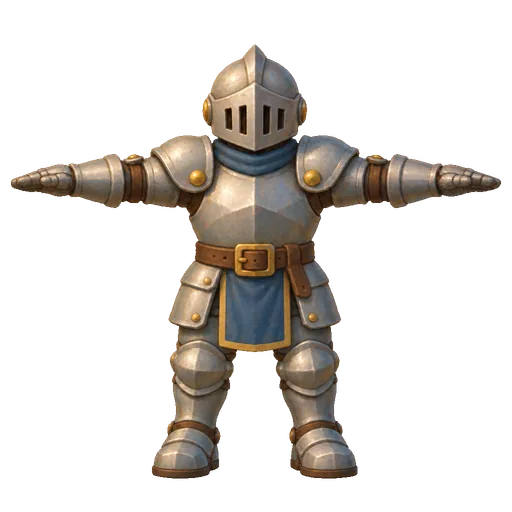
asset mesh knight "…" --rig biped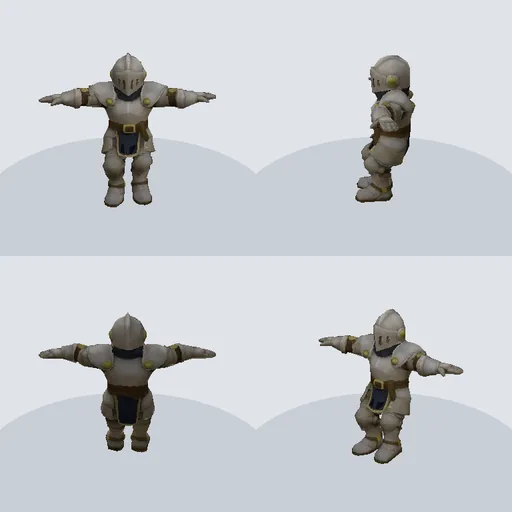
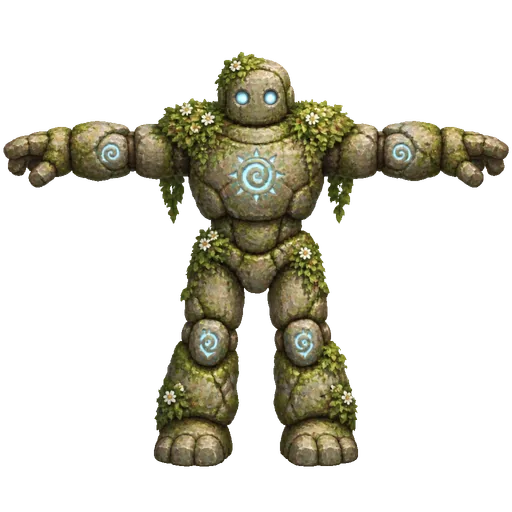
asset mesh golem "…" --rig biped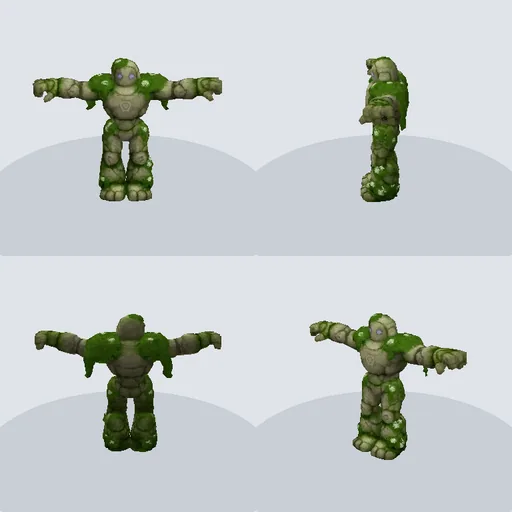
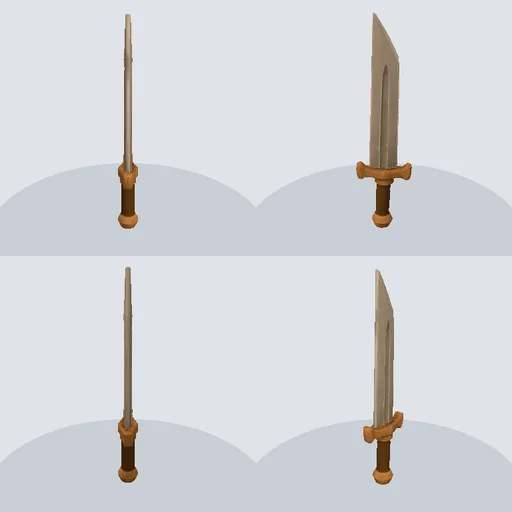
asset mesh sword "…" --held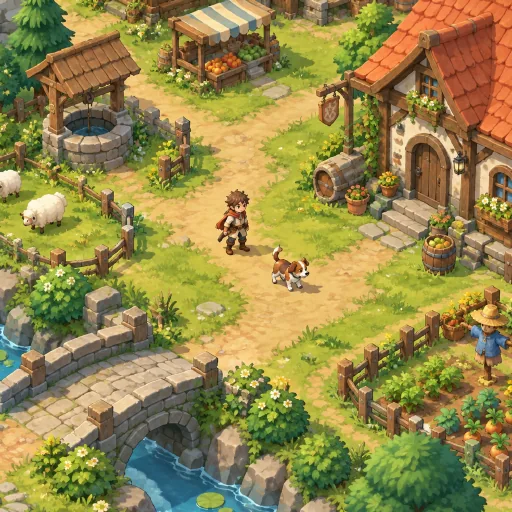
asset look meadow "bright cel-shaded fantasy…" --view isometricOne picture, then the sculpt
Every model starts as a picture. Without --ref, the CLI draws the design first, in your look's palette and light, as one solid shaded thing on a clear ground, because flat outlined art tends to come back from a sculptor as a thin card. A character meant for a rig is drawn square on, in its skeleton's stance.
That picture is sculpted into a textured mesh. The sculpt is then rebuilt as one closed surface and its colours are carried onto a single texture atlas, so the file stays light. Three files land in ./public/assets/:
well.glb, the modelwell.design.png, the picture it was made fromwell.turntable.png, the model from four sides
Size classes set the polygon budget
--size takes a class from 0 to 4, from a tiny pickup to a boss. Each class has a polygon budget, and a model never comes back above it. A character on a rig gets a character's budget. Pick the class by how big the thing stands in your world: a coin is 0, a crate or a well 1, a cart 2, a house 3, a dragon that fills the screen 4. Keeping to the budget is what lets a scene full of these models run on a phone.
Your own design, exactly
When you already have concept art, pass it with --ref. The model is made from that picture as it is, with no redraw. It reads cleanly when it shows one thing alone on a clear background, 512 pixels or larger. Without --ref the design is invented from your words, in your look, which is usually what you want for the props nobody has drawn yet.
Look before you build on it
The turntable shows the model from four sides, so you can see a bent sword or a hollow back before it is in a level. Each model is also scored by a judge that looks at it. A sculpt that comes out wrong is sculpted once more from the same design, the better one is kept, and the result names both. From here a model can be bound to a skeleton with --rig, given things to hold, or rendered into a 2D sprite sheet from your game's camera.
Questions people ask
Which engines read the .glb?
Godot 4 imports it as a scene. Unity reads it through glTFast, and asset convert --to unity writes its clips as .anim with a humanoid map. Unreal Engine 5 imports it through its glTF importer. The texture travels inside the file.
Are the models low poly art?
They are low in polygons, held to their class’s budget, but their surfaces are textured and realistically shaded. Their colours and design come from the picture drawn in your look.
Can I try the commands before paying?
Yes. Add --mock to any command and it runs offline with no key, for free. With a key, each paid call is quoted first, and a call you asked before comes back from your cache at no cost.
Install it, then ask for the look.
Get an asset keyMake a key in the Tyrbo app, then run asset login. Add --mock to try any command free first.