
A rigged, low polygon character for your Unity game
A mobile Unity game needs characters that stay light on the GPU and still move well. asset mesh with --rig biped makes a textured character at a character’s polygon budget, binds it to a skeleton, and checks that it can walk without tearing. asset animate then writes more clips from the library into the same file. Unity reads that .glb through glTFast, and asset convert --to unity writes its clips as Unity’s own .anim with a humanoid bone map.
npm install -g @tyrbo/assetMake a key in the Tyrbo app, then run asset login. Add --mock to try any command free first.
The commands
asset look grove "hand-painted fantasy forest, soft dappled light" --view top-down
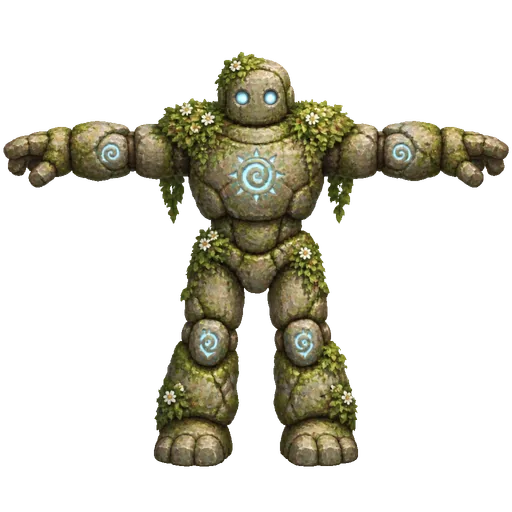
asset mesh golem "a moss-covered stone golem with heavy fists" --rig biped
asset clips biped --move run
asset animate golem --clips idle,run,jump
Made by the CLI, not drawn for this page
Real files the asset CLI wrote, each under the command that made it.
asset mesh golem "…" --rig biped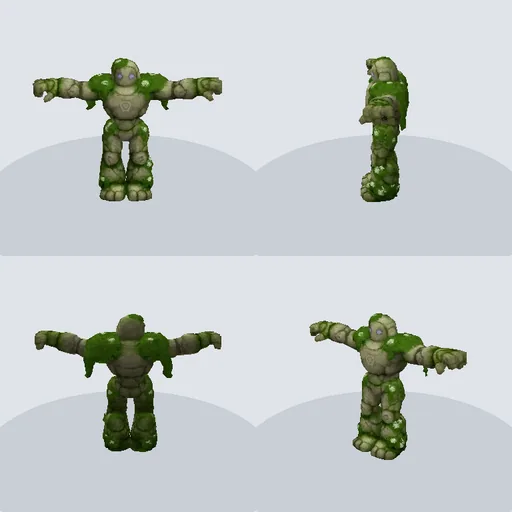
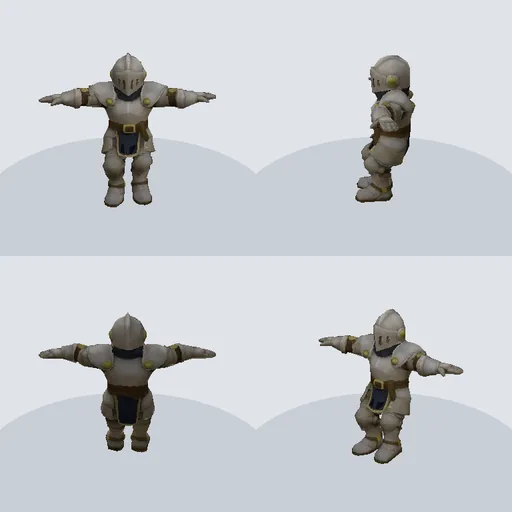
asset mesh knight "…" --rig bipedWhat low poly means here
Here low poly is a count, not a style. A rigged character is held to a character's polygon budget, never more, so it stays light enough for a phone. The surfaces are textured and realistically shaded, from a design painted in your look, so the golem on this page looks carved from mossy stone rather than built from flat facets. If your Unity project wants the faceted, flat-shaded art people also call low poly, these models are not that.
A skeleton that has been tested
Before the bind, a cheap vision model marks the character's joints on a front view, and code checks each mark: a knee under its hip, an elbow between shoulder and wrist, left and right the right way round. A mark that is off is asked for once more. The skeleton is laid from those marks and every vertex is weighted along the surface, so a hand never drags the hip beside it.
Then the walk, the run and the jump are played on the bound model. A clip that tears the mesh refuses the bind with the vertex named, and the character is sculpted once more. What reaches Unity is a model that already moved.
Clips from the library
asset clips biped lists the library for that skeleton: each clip's name, its move, whether it loops, its length and its tags. Filter with --move or --tag, then write the ones you want with asset animate golem --clips .... It is free, and it writes into golem.glb itself, so the clips arrive in Unity inside the file. A clip of the same name is replaced and the others are kept. Action words work too: cast, shoot, throw, punch, kick and slash each bring their own clip.
Getting it into your project
Files land in ./public/assets/. Set TYRBO_ASSET_OUT to a folder under your project's Assets and they arrive where Unity looks. Unity reads the .glb through glTFast; asset convert golem --to unity --into Assets/Art writes it with each clip as its own .anim, looping as recorded, and a humanoid bone map for its avatar, free. Each call prints one JSON line naming the files it wrote, which makes it easy for a coding agent to pick them up. For a 2D Unity game, see AI sprites for Unity.
Questions people ask
Can I rig a character I already have?
Yes, with asset rig hero hero.glb --as biped. A model that is already skinned is rebound for free, with Mixamo’s bone names mapped. An unrigged one is auto-rigged the same way a new character is.
Does it make four-legged characters?
Yes. --rig quadruped draws the design on four legs and binds it to the quadruped skeleton, and asset clips quadruped lists the clips that fit it. --rig flier does the same for wings.
What if the character will not bind?
It is sculpted once more from the same design. If that fails too, the call says why, for example limbs the mesh joined together, and what to change in your words.
Install it, then ask for the look.
Get an asset keyMake a key in the Tyrbo app, then run asset login. Add --mock to try any command free first.